





On this page
Short answer: not as an option you can choose. Apple's tech specs for the M5 MacBook Air list a 13.6-inch or 15.3-inch Liquid Retina display at 500 nits with True Tone, and say nothing about an anti-reflective or nano-texture finish. Apple offers nano-texture only on the MacBook Pro. If reflections bother you on an Air, a fitted anti-reflection film is the practical fix.
What does Apple actually list for the M5 MacBook Air display?
Here is what Apple's MacBook Air and MacBook Pro tech specs pages say about the screen (links at the end of this article).
| MacBook Air 13-inch (M5) | MacBook Air 15-inch (M5) | MacBook Pro 14-inch and 16-inch (M5 family) | |
|---|---|---|---|
| Display | 13.6-inch Liquid Retina, LED-backlit, IPS | 15.3-inch Liquid Retina, LED-backlit, IPS | 14.2-inch or 16.2-inch Liquid Retina XDR |
| Resolution | 2560 × 1664 at 224 ppi | 2880 × 1864 at 224 ppi | 3024 × 1964 or 3456 × 2234 at 254 ppi |
| Brightness | 500 nits | 500 nits | Up to 1000 nits SDR (outdoor) |
| Nano-texture option | Not listed | Not listed | Yes, as a configure option |
Both Air sizes also list True Tone and wide colour (P3). The Pro is the only MacBook where Apple lists "Nano-texture display" under "Configurable with", and it even ships a polishing cloth only with that option. So if you bought an Air, you have the standard glossy screen, and there is no matte version of the Air you could have picked instead.
Why does a glossy Air screen show reflections?
A glossy screen is smooth, so light from a window or a ceiling tube bounces straight back at you as a sharp reflection. How much that bothers you depends on two things: how bright the room is and how bright your screen can go. The Air is listed at 500 nits, while the MacBook Pro is listed at up to 1000 nits for outdoor SDR use. A brighter screen can overpower a reflection; a dimmer one has to live with it. That's why Air owners who work near windows, in cafés or in brightly lit offices notice glare more.
You have three ways to deal with it: move the laptop, turn up the brightness (at the cost of battery), or change the surface with a fitted film.
Which film should you choose for an M5 MacBook Air?
We make all the films below, so treat this as our own product range. Each one is cut for the MacBook Air 13.6" or 15" and listed for the M5 to M2 models.
| Film | What it does | Best for | Price |
|---|---|---|---|
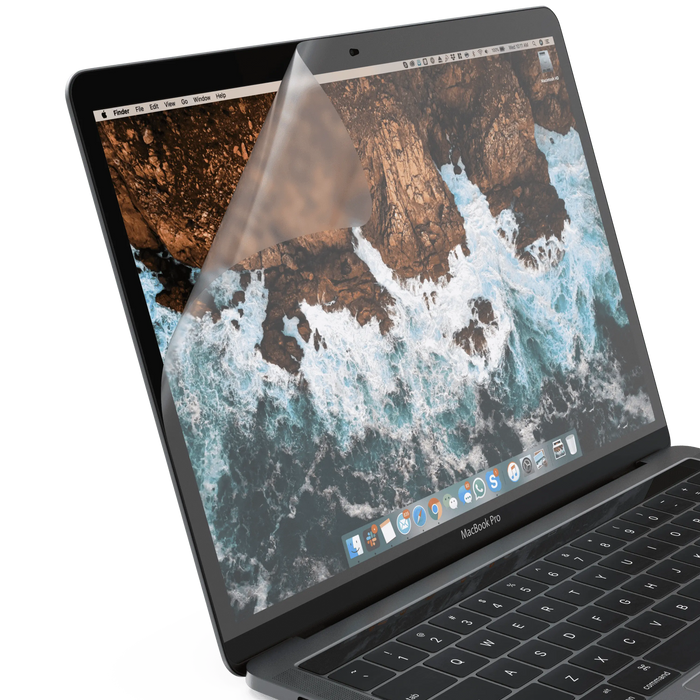
| Anti-Reflection | Cuts reflections on the screen and guards against scratches, dust and stains | Bright rooms, offices and windows behind you | ₹1,999 |
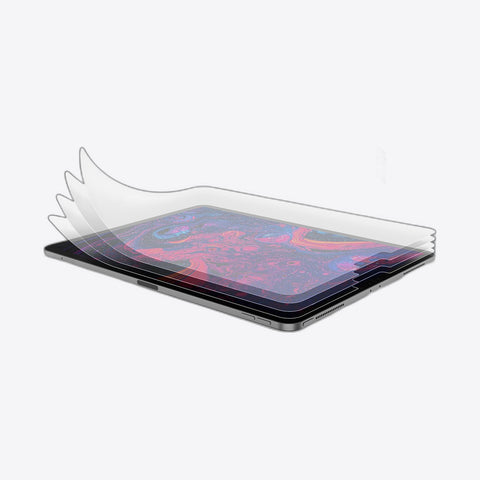
| HD Clear | Clear glossy finish, colours unchanged; guards against scratches, dust and stains | People who like the glossy look and just want protection | ₹1,999 |
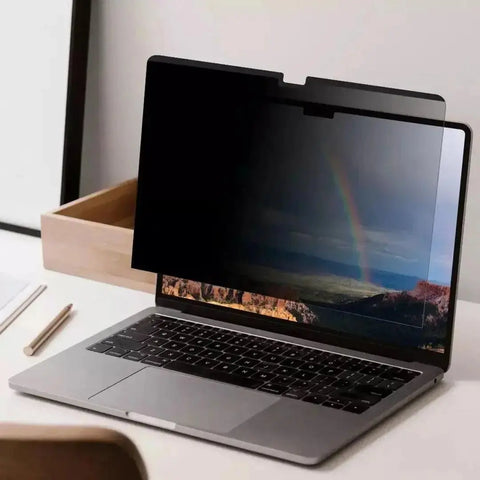
| Privacy Magnetic | Limits the viewing angle to 30° each side; attaches magnetically, no glue | Trains, flights, cafés and shared offices | ₹3,999 |

How do you decide in four steps?
- Note where the glare comes from. If you see a sharp image of a window or a lamp on the screen, reflections are the problem, and the anti-reflection film is the one to try.
- Decide how much you care about the glossy look. If reflections don't bother you and you only want to keep scratches and stains off the screen, the HD Clear film keeps the finish glossy and colours unchanged.
- Think about who sits next to you. If you work on trains, flights or in an open office, the privacy film narrows what people beside you can see. It comes off and goes back on with magnets, so you can use it only when you need it.
- Pick your exact size. The 13.6" and 15" films are different cuts. Check the size on Apple menu → About This Mac before you order.
What are the honest limits?
- Any film changes the screen a little. A clear film keeps the glossy look; an anti-reflection or privacy film changes how light reaches your eyes, which is the point. If you want the screen exactly as Apple made it, use the HD Clear film or none.
- Privacy films are for one viewer. With the viewing angle limited to 30° on each side, someone sitting beside you to watch a film will see a darker screen. Take the magnetic film off for those moments.
- Stock varies by size. The HD Clear film is sold out in the 15" size, and our matte Anti-Glare film is currently sold out in both Air sizes. The Anti-Reflection film is in stock for both.
- Returns depend on installation. Under our refund policy, a screen protector can be returned within 5 days of delivery if it hasn't been installed and the pack is complete. You can open the box to check the model and fit. Installed protectors that crack, chip or scratch are covered by our free replacement programme instead.

Films for your MacBook Air
- 13.6" MacBook Air (M5–M2): Anti-Reflection · HD Clear · Privacy Magnetic
- 15" MacBook Air (M5–M2): Anti-Reflection · Privacy Magnetic
Or see everything for your size in MacBook Air 13.6" accessories and MacBook Air 15" accessories, or all MacBook screen protectors. For more on finishes, read anti-glare screen protector benefits and fit tips and how to choose a privacy screen protector.
Frequently asked questions
Does the MacBook Air M5 have an anti-reflective coating?
Apple's tech specs for the M5 MacBook Air don't list an anti-reflective or nano-texture finish. They list a Liquid Retina display at 500 nits with True Tone, so treat it as a standard glossy screen.
Can I order the MacBook Air M5 with a nano-texture display?
No. Apple lists nano-texture as a configure option only for the MacBook Pro, not for either size of MacBook Air.
Which screen protector fits the MacBook Air M5 13-inch?
Use a film cut for the 13.6" MacBook Air. Our Anti-Reflection, HD Clear and Privacy Magnetic films for the 13.6" Air are listed for the M5 to M2 models.
Will an M4 or M2 MacBook Air screen protector fit the M5?
Our 13.6" and 15" Air films are listed for the M5 to M2 models, so the same film covers all of them. Apple lists the M5 Air at 13.6 inches and 15.3 inches, so always buy by screen size, not by chip.
Does an anti-reflection film make the MacBook Air screen less sharp?
Any film changes how light reaches you a little, which is how it cuts reflections. If you want the screen to look exactly as it did out of the box, choose the HD Clear film, which keeps the glossy finish and colours unchanged.
Sources: Apple, MacBook Air (13-inch and 15-inch, M5) technical specifications; Apple, MacBook Pro technical specifications.