



Updated on: 2026-07-20
An anti-glare screen protector reduces reflections and glare in bright environments. It improves screen readability by diffusing harsh light and balancing contrast. Many options also help limit fingerprints, smudges, and minor everyday wear. Choosing the correct fit, thickness, and installation method is the key to clear viewing and long-term performance.
1. What an anti-glare screen protector does
2. Benefits for daily use
3. How to choose the right anti-glare screen protector
4. How-to guide: install an anti-glare protector correctly
5. Common mistakes and how to avoid them
6. Compatibility, maintenance, and long-term care
7. Best use cases by device and environment
8. Common Questions Answered
9. Summary & Next Steps
What an anti-glare screen protector does
An anti-glare screen protector is designed to make a display easier to read when light hits the screen directly. Instead of reflecting light back toward your eyes, the protective surface manages incoming glare by using a matte or diffusion texture. The result is a more stable viewing experience, especially outdoors, near windows, or under strong overhead lighting.
Most anti-glare products are thin and rely on surface engineering rather than bulky layers. That means they can protect against daily scuffs while maintaining touch responsiveness for many devices. The “anti-glare” goal is not to darken the screen. It is to reduce distracting reflections and improve legibility.

Light rays diffusing away from screen reflection
Benefits for daily use
When glare decreases, your eyes do not have to work as hard to interpret what is on screen. This matters for work, study, creative sessions, and media viewing. An anti-glare screen protector can be especially helpful if you switch between indoor and outdoor environments.
Better readability: Reduced reflections help you see text and interface elements more clearly.
More comfortable viewing: Matte diffusion can make bright scenes feel less harsh.
Lower smudge visibility: Many anti-glare finishes reduce the appearance of fingerprints and smears.
Everyday protection: The protector adds a sacrificial layer against scratches and minor abrasion.
Consistent experience: A controlled surface texture can help keep brightness and contrast feeling more uniform.
Some users also prefer the tactile feedback of a diffusion texture, particularly for writing or note-taking devices. If you use a stylus, the surface finish can influence how smooth or textured the drawing feel appears. That is why selecting the right type of anti-glare screen protector is important.
How to choose the right anti-glare screen protector
Not every anti-glare protector is the same. Before purchase, evaluate the finish, installation fit, and how it interacts with your workflow.
Match the finish to your environment
If you mainly use your device indoors with moderate lighting, a subtle anti-reflection texture may be sufficient. If you frequently work under direct sunlight or bright lamps, you may need stronger glare diffusion. Choose the level of matte effect that improves readability without making the display feel less vibrant than desired.
Prioritize precise fit for sensors and edges
Correct sizing prevents lifting and reduces the risk of dust buildup along the borders. For devices with cameras, cutouts, or special sensors, fit matters as much as the surface finish. Confirm that the protector is made for your exact model to avoid misalignment.
Consider thickness and touch performance
Too much thickness can affect touch registration or how stylus input feels. Quality protectors keep tolerances tight, which supports accurate gestures and stable pen behavior. If you use handwriting tools, look for a finish designed for writing rather than a generic matte film.
Evaluate installation approach
Some protectors are optimized for bubble-free application with alignment guides. If you have limited experience applying screen protectors, selecting a package with clear guidance and a reliable alignment method can reduce installation errors.
Embedded product suggestion for note-taking and writing use cases:
PaperType® Screen Protector - Perfect for Sketching, Writing, and Note-taking on iPads

For creatives who want an anti-glare-like reduction in harsh reflections paired with a writing-friendly surface, the PaperType® Screen Protector offers a texture-oriented experience that many users find practical for sketching and notes. For more options built for clarity and daily readability, you can explore related selections in anti-glare screen protectors.
How-to guide: install an anti-glare protector correctly
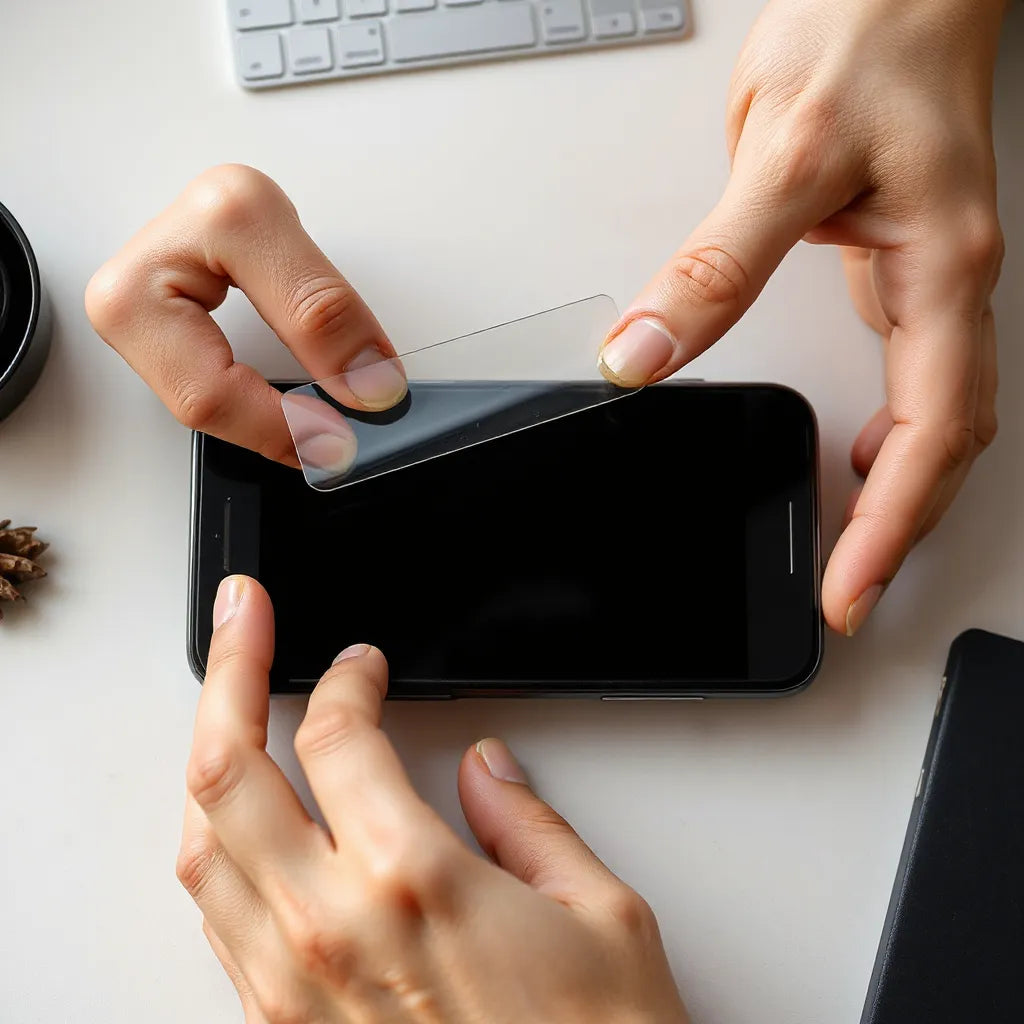
A clean installation protects both the screen and the protector. The best result comes from careful preparation and a controlled application process. Use the steps below for a consistent outcome.
Step 1: Prepare the workspace
Choose a well-lit area with minimal dust. Wash and dry your hands. Power off the device and wipe the screen with a clean microfiber cloth. Remove cases or covers that could interfere with alignment.
Step 2: Clean the screen thoroughly
Use the included cleaning wipes, if provided. Wipe in one direction, then switch to a fresh side of the cloth. This reduces streaking and improves adhesion. Any remaining dust can become visible under the protector.
Step 3: Align before pressing
Hold the protector above the screen and align it with edges and cutouts. If your protector uses alignment tabs, keep them in place until you are ready to apply. Correct alignment prevents peel-up along corners.
Step 4: Apply gradually and smooth gently
Lower one side first, then gradually guide the protector down. Use a soft squeegee motion from the center outward. Avoid aggressive pressure that can trap particles.
Step 5: Remove dust and lock the fit
If a small particle remains, do not repeatedly lift the protector in many places. Instead, lift carefully at the specific area where the particle sits and re-lower it once. After smoothing, let the protector settle according to the product guidance.

Dust-free installation with squeegee smoothing from center outward
Common mistakes and how to avoid them
Even high-quality films can fail visually if installation is careless. The following issues are common, and you can prevent them with better technique.
Applying on a dirty screen: Dust becomes trapped and creates visible specks. Clean thoroughly before starting.
Pressing too early: Immediate pressure before alignment can cause uneven coverage. Align first.
Using rough materials: Paper towels and abrasive cloths can scratch or leave fibers. Use microfiber and provided wipes.
Over-smoothing: Excessive force can shift alignment or create stress at corners. Smooth with controlled, even pressure.
Ignoring edge lifting: If edges lift after installation, dust will collect quickly. Address alignment promptly if you notice gaps.
Another frequent concern involves perceived clarity changes. Some glare-reduction finishes slightly alter how reflections look. The goal is improvement in readability, not perfect mirror-like sharpness. If your expectations are based on a glossy film, you may need to adjust to matte diffusion.
Compatibility, maintenance, and long-term care
To keep an anti-glare protector performing well, maintain it like you would the screen beneath it. Proper cleaning helps preserve the diffusion texture and reduces wear at the edges.
Cleaning routine that protects the finish
Use a microfiber cloth and, when needed, a gentle screen-safe cleaner. Avoid harsh chemicals and abrasive pads. Wipe lightly and consistently. Do not spray directly onto the protector unless the cleaning instructions specifically allow it.
Protect the edges during daily use
Edges can be the first area to lift under stress. A well-fitted case can reduce corner impacts. If your device has frequent drops or contact with hard surfaces, consider pairing the screen protector with a device case that protects the corners.
Replace when visibility degrades
Over time, protectors can accumulate micro-scratches or lose smoothness. When you notice haze, persistent smudging that cleaning cannot fix, or lifting near borders, replacement can restore a clean viewing experience.
If you want broader coverage for your device, you may also review device protection accessories such as keyboard protectors for computers or additional layers for tablet and laptop workflows.
Best use cases by device and environment
An anti-glare screen protector can be valuable across many roles, but certain scenarios highlight its strengths.
Outdoor reading, commuting, and travel
When light changes quickly, glare can make text difficult to read. A diffusion surface helps reduce reflections so you can keep focus on the screen rather than on the glare pattern.
Office and workspace lighting
Overhead lighting and monitor reflections can create a repeating contrast problem. By diffusing incoming light, an anti-glare protector can support more consistent visibility during long sessions.
Creative and note-taking workflows
For stylus users, the right surface finish can influence writing feel. Many people choose writing-oriented anti-reflection textures because they reduce distracting shine while delivering a more comfortable tactile response. If your workflow includes frequent sketching, diagramming, or handwritten notes, select a protector designed for that use.
Learning and collaboration
Students and professionals often share screens or use devices in group settings. Lower glare supports better viewing angles and more legible content for others, especially when multiple people are positioned under the same lighting.
For device ecosystems where privacy and readability matter, consider how screen protection strategy fits your usage. Some settings benefit from specialized options; for example, privacy-focused protection can change the viewing angle deliberately. However, the core advantage of an anti-glare screen protector remains simple: fewer distracting reflections and clearer reading.
Common Questions Answered
Does an anti-glare screen protector make the screen less sharp?
It can slightly change how the screen reflects light because the surface diffuses glare. In most cases, text remains readable and contrast feels more stable under bright conditions. If you compare directly to a glossy finish, matte diffusion may appear less mirror-like, but readability typically improves where reflections are the main issue.
Will the anti-glare finish affect stylus or touch performance?
Some protectors are optimized for touch and pen input, while others are designed more for general protection. If you use a stylus for writing or sketching, choose a protector explicitly intended for that workflow and verify compatibility with your device model. Proper installation also matters, as bubbles or misalignment can reduce responsiveness.
How do I reduce fingerprints and smudges on an anti-glare protector?
Use a soft microfiber cloth for routine cleaning and wipe gently. For stubborn residue, use a screen-safe cleaner approved for protective films. Avoid aggressive rubbing that can wear the diffusion texture over time. Also consider using a compatible case that keeps the protector edges protected.
How can I tell when it is time to replace my screen protector?
Replace the protector when you notice persistent haze, increasing scratch patterns that cleaning cannot remove, or lifting along the edges that gathers dust. When visibility declines enough to affect readability, replacement is often the most efficient way to restore a clean viewing surface.
Summary & Next Steps
An anti-glare screen protector improves screen readability by reducing reflections in bright conditions. The strongest results come from selecting a finish matched to your environment, ensuring precise model fit, and installing carefully to avoid trapped dust. With correct maintenance, a quality protector can support comfort, durability, and a consistently clear display.
If you are upgrading your device protection strategy, start by choosing an anti-glare protector made for your exact model. Then, follow a disciplined installation routine and maintain the surface with gentle cleaning. For more product options that align with glare reduction and everyday use, visit anti-glare screen protectors.
For broader device coverage, you can also review iPad covers or matching accessories that protect edges and corners during daily handling.
About the Author
Moarmouz is a contributor focused on practical device protection and screen usability, with expertise in selecting protection materials that support clarity, durability, and daily workflows. The author emphasizes evidence-based product evaluation and installation best practices to help customers make informed choices. Thank you for reading, and may your screen experience stay clear and consistent.
Share:
MacBook Air M4 15-Inch Accessory Picks for Everyday Use
MacBook Air M4 15-Inch Accessory Picks for Everyday Use