



Updated on: 2026-06-15
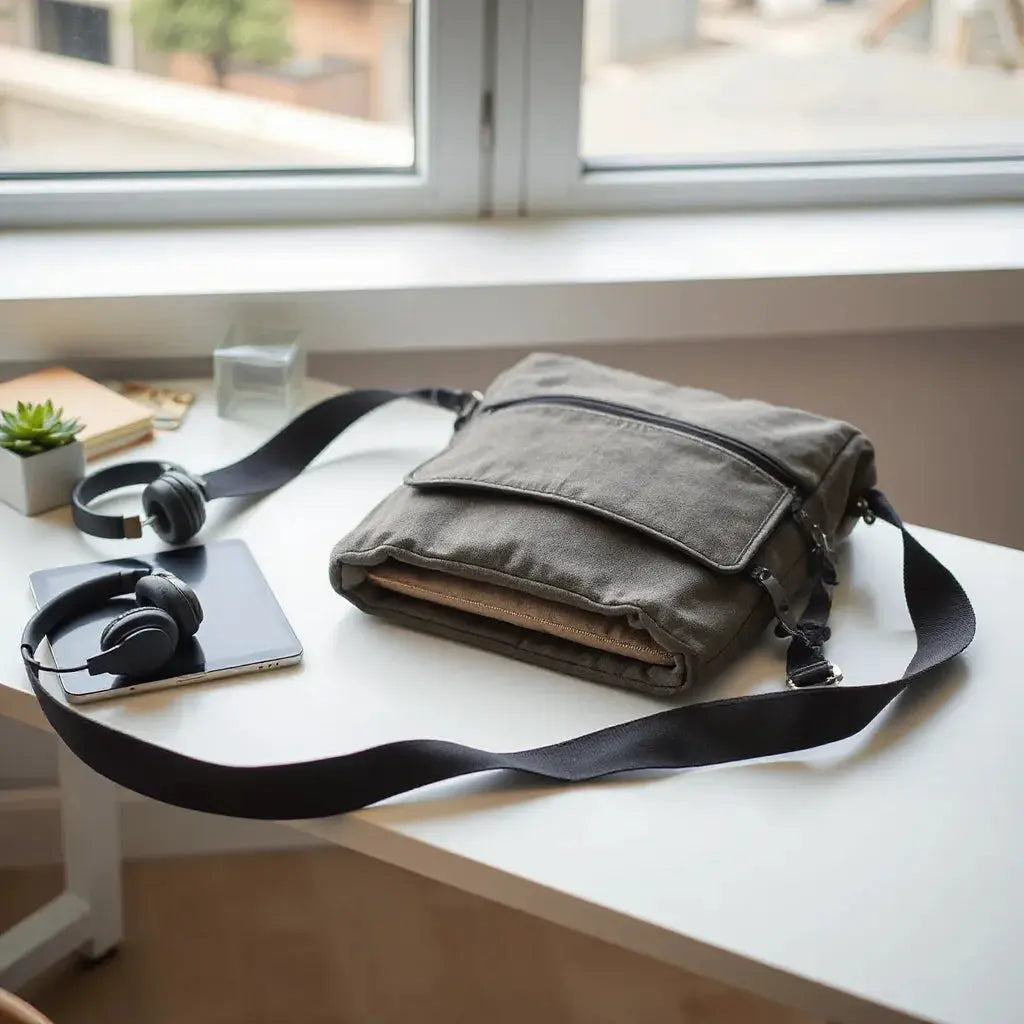
A tablet shoulder bag helps you carry a tablet safely while keeping your hands free. Choosing the right design improves comfort, protection, and daily organization. This guide explains the key features to compare, including padding, fit, strap comfort, and access style. You will also find a practical checklist and clear buying advice for reliable everyday use.
Table of Contents
- Did You Know?
- Comparison: Pros & Cons
- Buyer’s Checklist
- What to Look for in a Tablet Shoulder Bag
- Fit and Protection for Tablet Safety
- Comfort and Organization for Daily Use
- Access, Style, and Setup Habits
- Visual Guide: How to Think About Protection
- Visual Guide: How to Think About Fit and Carry
- Final Thoughts & Advice
- Q&A Section
- About the Author Section
Did You Know?
A tablet shoulder bag is not only a carrying accessory. It is a lightweight system that supports safe transport, faster setup, and better posture throughout the day. Many shoppers focus on style first, but the most meaningful differences come from internal fit and comfort engineering.
- Shock-absorbing padding works best when it is shaped to the device area rather than just added thickness.
- Shoulder strap width and adjustability can reduce fatigue, especially during commuting or travel days.
- External organization such as zipper pockets and quick-access compartments can cut setup time when you need cables, chargers, or small accessories.
- Water resistance is useful for daily exposure such as light rain, office spills, or condensation in bags.
Comparison: Pros & Cons
Below is a practical comparison to help you decide whether a tablet shoulder bag is the right form factor for your routine.
-
Pros
- Hands-free carry with stable weight distribution across the shoulder.
- Often includes internal padding and device-friendly lining.
- Supports quick access for frequent check-ins and brief work sessions.
- Good balance between minimal bulk and daily organization.
-
Cons
- Some designs may offer less capacity than larger backpacks.
- Improper device fit can reduce protection and stability.
- Thin shoulder straps may feel uncomfortable during long outings.
- Overstuffing can cause strain on zippers and seams.
Buyer’s Checklist
Use this checklist before you buy. It is designed to focus on everyday performance rather than marketing features.
- Device compatibility: Confirm internal dimensions for your tablet size and case thickness.
- Protection: Look for padded walls and a secure device hold area.
- Lining quality: Prefer soft-touch lining that helps prevent micro-scratches.
- Strap comfort: Verify padding, width, and adjustment range.
- Closure type: Choose a zipper system that opens smoothly and closes firmly.
- Access workflow: Decide whether you need top loading, side access, or quick front pockets.
- Accessory capacity: Check pockets for cables, chargers, stylus, and small peripherals.
- Weather resistance: Evaluate water-repellent outer fabric and seam design.
- Weight balance: Ensure the bag stays stable when worn with common items.
- Durability cues: Inspect stitching patterns and reinforcement areas near straps.
What to Look for in a Tablet Shoulder Bag
A tablet shoulder bag should support a predictable workflow. When you select features intentionally, the bag becomes easier to use every day. Start with compatibility, then evaluate protection and comfort. After that, consider organization and access style.
1) Compatibility and internal dimensions
Most performance issues come from a mismatch between the tablet and the bag. Even when the bag claims to fit a certain size, the most important measurement is internal volume. If your tablet has a protective case, compare case thickness to the bag’s padding depth. A secure fit reduces unnecessary movement, which improves comfort and protection during short rides or walking.
2) Padding strategy and device hold
Padding should protect edges and the main device area. Look for padded side walls and a structured interior that prevents the tablet from sliding. A bag that holds the device in place can reduce the impact of bumps on sidewalks, stairs, and vehicle steps.
3) Strap design and carry stability
Straps control comfort. A well-designed strap should be wide enough to distribute weight, and adjustable enough to fit different clothing layers. If you carry heavier accessories, strap stability becomes even more important. Consider how the bag hangs when it is fully loaded with typical daily items.
4) Outer fabric and weather readiness
Daily weather varies. A water-resistant outer layer helps during light rain and reduces damage from small spills. Pay attention to seam construction and whether the zipper track is protected. While no bag can guarantee full waterproof performance, a higher level of water resistance can prevent minor moisture exposure from becoming a larger issue.
5) Lining and scratch risk
The interior lining influences how safe your screen surface remains during insertion and removal. A soft lining can reduce micro-scratches from small particles in the bag. For additional screen safety, many users pair their bag with a screen protector. You can explore options like anti-glare screen protectors for improved visibility and added surface protection.

Stacked padding layers and edge protection icons
Fit and Protection for Tablet Safety
Protection is not only about thickness. It is about how the tablet sits inside the bag. A tablet shoulder bag should support a stable position that limits shifting during movement. When the device stays aligned, padding can absorb impact more effectively.
How to test fit before purchase
If the product page provides internal measurements, compare them to your tablet dimensions and your case thickness. Then evaluate the interior layout. Some bags include a dedicated compartment that supports a snug fit. Others rely on a general sleeve. If your daily routine involves frequent stops, a structured compartment often provides better stability.
Edge coverage matters
Edges and corners are high-risk areas. Look for padding that extends toward the tablet perimeter rather than stopping short of contact points. A good design also includes a soft barrier between the tablet and the outer fabric.
Screen protection should be part of the system
A bag reduces exposure, but it does not replace screen safety. Many users combine a well-padded bag with a protective screen layer. For tablet users who also own other devices, coordinating protection can simplify purchases. Consider browsing compatible device accessories such as tablet covers for an aligned protection approach.
Comfort and Organization for Daily Use
Comfort influences whether you will use the bag consistently. Organization influences whether you can find items quickly. Together, they determine whether your bag supports productive habits.
Weight distribution and strap ergonomics
A tablet shoulder bag should feel balanced when worn. If the bag sits too high or too low, it can stress the shoulder and neck area. An adjustable strap and correct bag volume help you find a comfortable carry height. Padded straps usually improve comfort during longer commutes.
Internal pockets for accessories
Good organization reduces friction. Look for internal pockets designed for small essentials such as cables, a charging brick, or a stylus. When accessories are separated, they do not press directly against the tablet surface or shift around and create sudden pressure points.
External compartments for fast access
External pockets can improve workflow. If you regularly use earbuds, a power cable, or a small adapter, a quick-access pocket saves time. However, do not ignore interior space. The best arrangement places frequently used items where you can reach them without fully opening the bag.
Pairing with other device carry solutions
If you also carry a laptop or other tech items, consistency across your bags can reduce stress. You may prefer a unified carry system that complements your tablet bag. For example, you can review related options such as bags and sleeves for laptops and tablets to find a coordinated approach.

Diagram of strap adjustment, compartments, and device fit
Access, Style, and Setup Habits
Some buyers focus on how the bag looks. Style matters, but functionality determines satisfaction. Evaluate access style based on how you use your tablet during the day.
Top access versus quick side access
If you open and close the bag frequently, consider which opening style supports your routine. Top access can be efficient for casual carry. Side or front access can be more convenient for quick retrieval when you are in a seated environment.
Magnetic or simplified closures
Closures should be easy to operate with one hand when possible. If a bag requires complicated steps, it can slow down your workflow. Smooth zippers and reliable pull tabs support consistent use.
Minimal bulk for daily movement
A tablet shoulder bag should fit into your real life. Think about travel through offices, airports, and public transit. If you routinely move between seats, a bag with moderate structure may be easier to manage than an oversized bag with excess padding.
Additional accessories that complement the bag
For users who store cables, a simple cable organization approach can prevent tangles and protects connectors. When you want a coordinated set of accessories, you can explore cables designed for everyday charging needs. If your setup includes wearable tech, you can also check watch cases to maintain consistent protection across devices.
Final Thoughts & Advice
A tablet shoulder bag is a practical choice for anyone who wants hands-free carry, daily organization, and dependable protection. Select internal fit first, then evaluate padding coverage, lining quality, and strap comfort. Finally, align the bag with your access habits so you can open it quickly without forcing the zipper or shifting the device.
Before purchasing, confirm dimensions, check whether your tablet case fits comfortably, and review how the bag positions the tablet during movement. This approach reduces returns and increases long-term satisfaction.
Q&A Section
How do I choose the correct size for a tablet shoulder bag?
Compare the bag’s internal dimensions with your tablet dimensions and any protective case thickness. A secure fit should prevent noticeable movement inside the compartment. If internal measurements are not available, focus on the clarity of the product description and look for a structured compartment that supports the device position.
What features provide the best protection in a tablet shoulder bag?
Look for padded side walls, soft-touch lining, and a design that limits shifting. Edge coverage is especially important because corners absorb more impact during bumps. Pairing a well-padded bag with a protective screen layer can further reduce risk during daily use.
Are tablet shoulder bags comfortable for commuting and travel?
Comfort depends on strap ergonomics and load balance. A wider, adjustable, padded strap generally improves comfort. If you travel with accessories, choose a bag that can distribute weight evenly and maintain a stable carry position throughout walking and transit.
How should I organize accessories inside the bag?
Use internal pockets or compartments to keep small items from pressing against the tablet surface. Store cables and chargers in separate sections so they do not shift during movement. If the bag includes external pockets, place frequently accessed small items there to reduce repeated full openings.
About the Author Section
Moarmouz is an ecommerce content specialist focused on product clarity, shopper decision support, and SEO-driven publishing for tech accessories. With expertise in bag ergonomics, device protection, and buyer-oriented guides, Moarmouz helps readers choose with confidence. The goal is simple: simplify the selection process and improve everyday usability. Thank you for reading.
Disclaimer: This article is for general informational purposes only. Product designs and specifications vary by manufacturer. Always confirm dimensions, compatibility, and care instructions before purchase. Avoid overloading any bag beyond its recommended capacity.
Share:
Rugged Bumper Laptop Sleeve Guide for Maximum Protection
Braided Nylon Cable Benefits, Care, and Best Use Tips