



Updated on: 2026-06-14
You will learn how a rugged bumper laptop sleeve protects your device in everyday travel and demanding work settings. This guide explains key design features such as reinforced edges, impact-absorbing layers, and secure closures. You will also find expert tips for choosing the right size and material for your laptop. Finally, you will get practical care and packing advice to improve protection over time.
Introduction
Using a laptop every day can expose it to bumps, vibration, and pressure that are easy to ignore until damage appears. A rugged bumper laptop sleeve is designed to reduce that risk by adding structured protection where impact is most likely. The right sleeve also supports a safer carry experience because it can manage friction and keep the device stable inside a bag.
In this article, you will learn how to evaluate sleeve construction, what materials matter, and how to match protection to your routine. You will also see how to maintain the sleeve so it continues to perform after repeated use.
Did You Know?
- Reinforced edges often protect corners better than flat padding alone.
- Thickness is not the only indicator of protection; internal fit matters.
- Soft lining helps reduce micro-scratches during daily movement.
- Impact absorption works best when the device can move slightly inside the sleeve.
- Secure closures can prevent shifting that increases wear points.
Expert Tips
- Measure your laptop and compare it to the sleeve’s stated inner dimensions, not only the screen size.
- Choose a sleeve with padded corners or bumper-style edge reinforcement.
- Prioritize a smooth interior surface to limit friction on the chassis.
- Look for a durable outer shell that resists abrasion from bag contents.
- Test stability by gently lifting the sleeve when packed; the laptop should not slide freely.
Personal Anecdote
I once carried a laptop in a standard padded case for several months. The device seemed fine, but one day after a crowded commute, I noticed cosmetic wear near the corners. The issue was not a single dramatic drop; it was repeated pressure and shifting inside the bag. After switching to a rugged bumper laptop sleeve with edge reinforcement, the carry felt more controlled, and the corners stayed better protected during daily movement.
What Is a Rugged Bumper Laptop Sleeve?
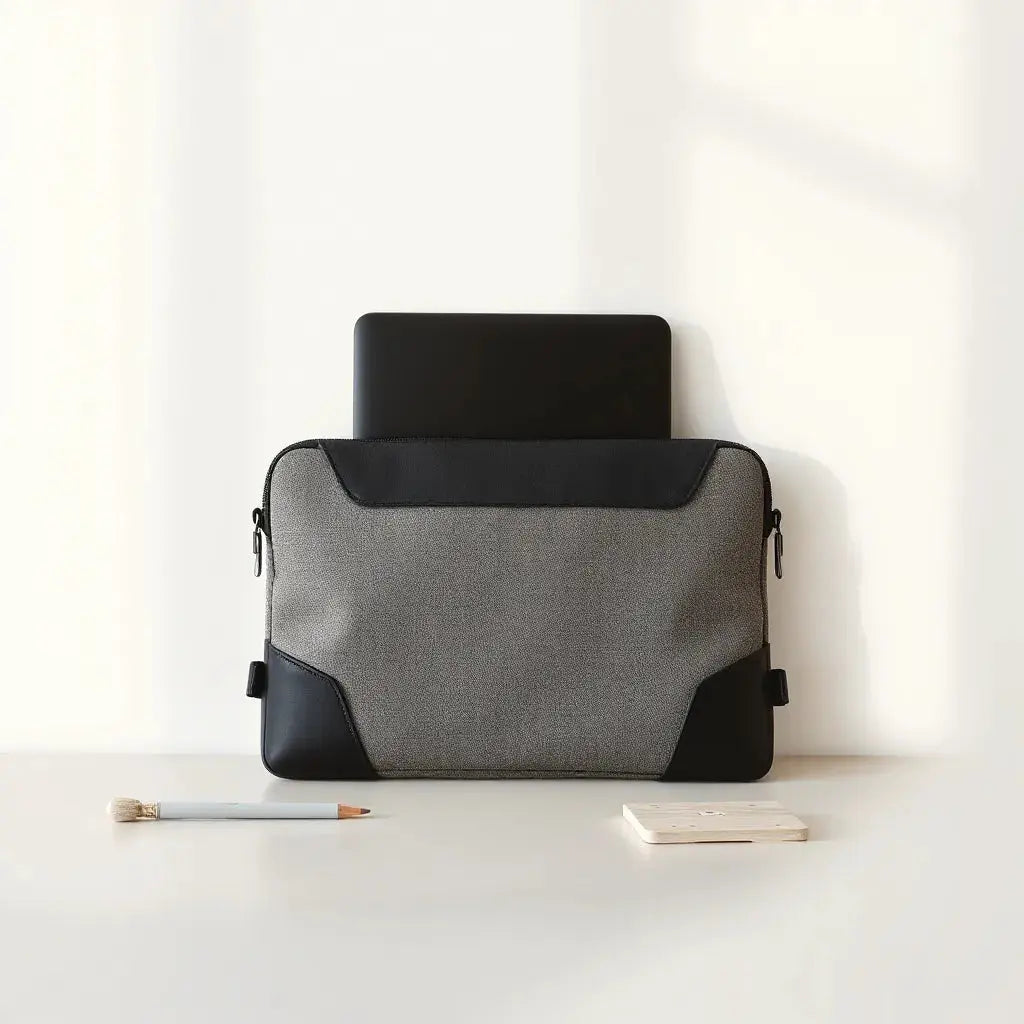
A rugged bumper laptop sleeve is a protective cover that combines a structured outer shell with impact-absorbing protection at the edges and corners. The “bumper” concept typically refers to raised or reinforced perimeter zones that reduce direct contact when the sleeve is set down or brushes against hard surfaces.
Unlike minimal sleeves that focus only on comfort, bumper-style designs aim to manage both abrasion and impact. This means the sleeve can help protect the laptop during typical risks such as stacking, squeezing in overhead storage, or bumping into desk edges.

Corner-focused protection with stacked-layer edge concept
Key Features That Drive Real Protection
Not all laptop sleeves offer the same level of defense. The most effective rugged designs address how force travels through the case and where stress concentrates.
Reinforced perimeter and corner protection
Look for padded corners, reinforced edge stitching, or a raised bumper profile. These features are important because corners and edges often contact hard surfaces first. When perimeter protection is consistent, the sleeve can distribute force across more material and reduce the chance of direct pressure on the laptop.
Impact-absorbing layers
Many sleeves use foam layers or multi-density cushioning. The goal is to reduce shock transfer rather than only increase thickness. A well-designed sleeve may allow limited internal movement so cushioning can compress and absorb energy during minor impacts.
Scratch-resistant interior lining
A soft lining can help minimize micro-scratches when the laptop shifts inside the sleeve. Interior texture matters. Smooth, dense lining can reduce friction, while breathable materials can help limit trapped dust and debris during short moves.
Abrasion-resistant outer shell
An outer surface that resists scuffing helps when the sleeve rubs against bag fabric, straps, or other items. Abrasion resistance is especially useful for people who carry multiple items or move through high-contact environments.
Secure closure and reduced shifting
A dependable zipper or secure top closure supports stability. When the laptop remains positioned, cushioning performs more consistently. Shifting increases pressure points and can cause wear over time.
If you also use a tablet or iPad, consider matching protection across devices to create a consistent carry system. You can explore relevant options on the laptop sleeve category here: laptop and tablet sleeves.
How to Choose the Right Fit
A rugged bumper laptop sleeve should fit well enough to reduce movement, but not so tightly that it forces pressure on the chassis. Use size selection as a protection strategy, not only as a comfort choice.
Match inner dimensions, not only screen size
Screen size labels can be misleading because laptop models vary in bezel width and chassis thickness. Measure your device and compare those measurements to the sleeve’s internal dimensions. If the sleeve allows excessive gap space, cushioning may not compress properly during impact.
Consider laptop thickness and accessories
If your laptop is used with a skin, protective case, or a keyboard cover, thickness increases. A sleeve that fits the bare laptop might become too snug afterward. Confirm whether the sleeve accommodates real-world thickness in your setup.
Plan for travel layout
Choose how you carry the sleeve. If it is placed in a backpack with other items, abrasion protection and zipper reliability become more important. If you frequently set the sleeve down on desks, raised bumpers and stable structure become the priority.
Pair with device-specific protection
For additional defense, many users combine a sleeve with a screen protector. If you want to reduce glare or improve day-to-day visibility, you may find useful options here: anti-glare screen protectors. This can help preserve the display surface while the sleeve handles impact risk.
Optional add-on: privacy protection
When you work in shared spaces, privacy screen solutions can reduce side viewing. You can review a privacy-focused option here: privacy magnetic screen protector. Pairing display protection with sleeve protection can improve overall device care.

Measuring fit: laptop outline inside a shaded frame
Packing and Care Practices
Even the best rugged bumper laptop sleeve performs better when packing habits protect the device from unnecessary stress. Simple routines reduce corner pressure, limit dust transfer, and improve long-term material condition.
Use a consistent packing sequence
Place the sleeve in your bag with a stable orientation. If your bag has a padded compartment, align the sleeve so that the bumper zones face likely contact points. Avoid filling the compartment so tightly that the sleeve cannot settle naturally into its cushioning.
Prevent shifting with secondary organization
If your bag includes small items such as chargers or cables, organize them separately so they do not press against the sleeve. Using cable organization tools can help keep hard edges from contacting the laptop. You can find related accessories on: cables.
Clean the sleeve appropriately
Regular cleaning supports performance because dust and grit can increase friction. Follow the manufacturer care guidance. In general, wipe the exterior with a gentle cloth. If the interior lining becomes dirty, remove debris carefully. Allow the sleeve to dry fully before reusing it.
Inspect seams and closure points
Most wear starts around zipper tracks, seam junctions, and stressed corners. During routine cleaning, check for fraying, loosened stitching, or zipper resistance. Early detection can prevent small issues from becoming larger failures.
Avoid extreme heat and chemical exposure
Protect the sleeve from prolonged exposure to intense heat and harsh chemicals. Heat can alter cushioning behavior, and chemical residue can degrade exterior coatings.
Store the sleeve correctly between uses
Store the sleeve in a cool, dry location. Avoid stacking heavy objects on top of it for extended periods. Proper storage helps preserve the shape of the bumper zones and maintains internal structure.
Summary & Takeaways
A rugged bumper laptop sleeve is a practical protection upgrade for anyone who relies on a laptop in daily routines. Focus on perimeter reinforcement, impact-absorbing layers, and a scratch-resistant interior rather than only outward appearance. Choose the correct inner fit using actual device measurements, and use consistent packing habits to reduce shifting and pressure.
Actionable takeaways:
- Measure inner dimensions and select a sleeve that reduces unnecessary movement.
- Prioritize corner and edge reinforcement for contact points.
- Keep the interior clean and inspect seams regularly.
- Support protection with display safeguards when appropriate.
If you are building a complete carry system, you may also explore complementary accessories at Stone Rival Leather. Matching quality accessories can improve organization and reduce pressure on your laptop during transit.
Q&A Section
How do I know whether a rugged bumper laptop sleeve is genuinely protective?
Look beyond thickness. Check for reinforced perimeter zones, padded corners, and cushioning that can compress. Also evaluate internal fit. A sleeve that holds the laptop securely with a smooth lining typically performs better than a sleeve that feels padded but allows excessive shifting.
Should the laptop move inside the sleeve, or should it be completely snug?
It should be stable rather than loose. Some micro movement can help cushioning absorb minor impacts, but the device should not slide freely. If you notice noticeable rattling when you gently shake the sleeve, the fit is likely too loose for reliable protection.
Can I use the same sleeve for travel and office use?
Yes, and that is often the most efficient option. A rugged bumper laptop sleeve is designed for daily risk factors that occur in both office and travel contexts. If your travel setup includes frequent bag compression, prioritize reinforced edges and abrasion resistance.
About the Author
Moarmouz
Moarmouz is a content and product strategy contributor focused on device protection, carry organization, and material-focused buying guidance. The expertise emphasizes practical selection criteria, durability considerations, and consistent protection workflows across laptops and accessories. With a careful and objective approach, Moarmouz helps readers choose protective solutions that align with real-world usage. Thank you for reading, and may your device stay well protected.
Share:
Essential MacBook Air M1 Accessories for Everyday Use
Tablet Shoulder Bag Essentials for Everyday Carry