



Updated on: 2026-06-05
Summary:
A shock-resistant laptop sleeve protects your device from everyday impacts, vibration, and abrasion. A good sleeve uses layered cushioning and a structured fit to reduce movement inside the case. You can improve protection further by choosing the correct size, checking zipper and seam quality, and pairing the sleeve with smart bag organization. This guide explains how to select, set up, and use a shock-resistant laptop sleeve for safer daily carry.
Table of Contents
Product Spotlight: Choosing a Shock-Resistant Laptop Sleeve That Actually Protects
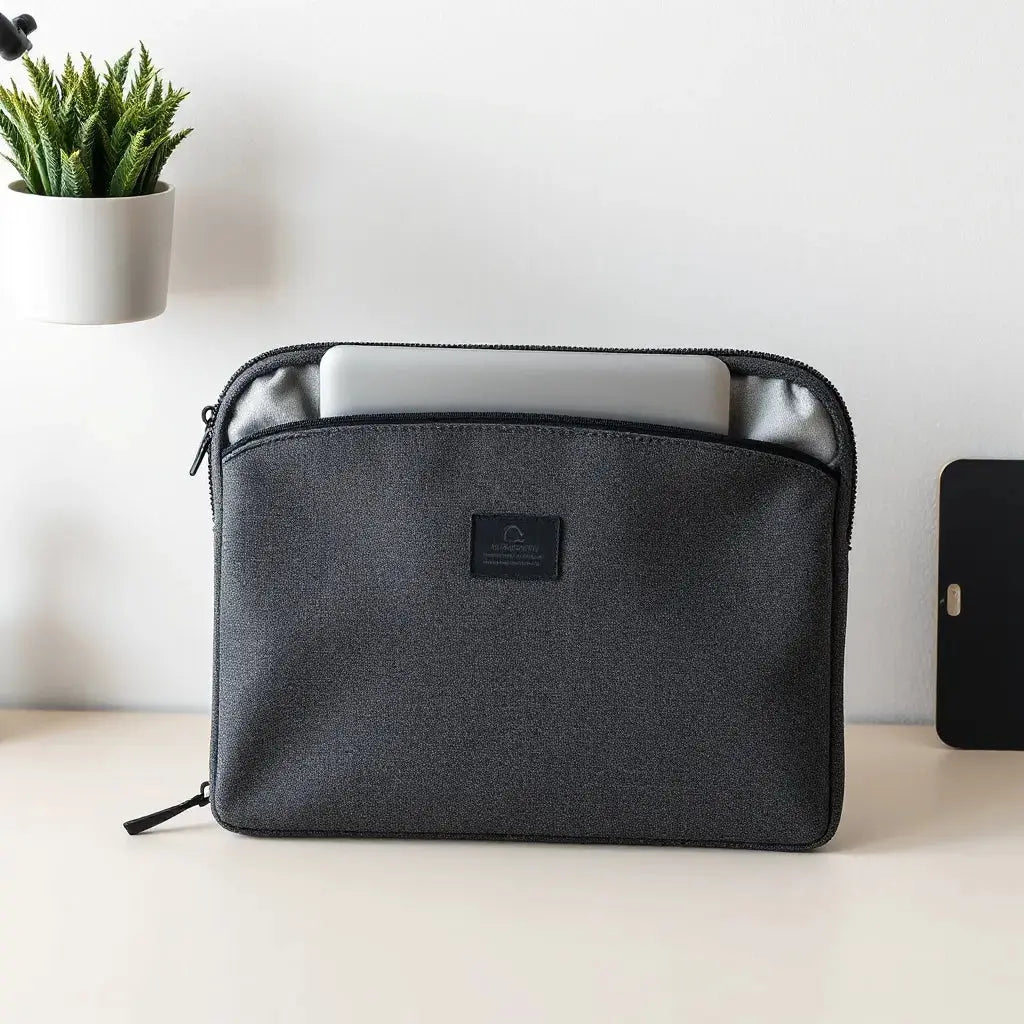
A shock-resistant laptop sleeve is designed to reduce the force that reaches your laptop when your bag brushes against a surface or shifts during travel. The best sleeves do more than look thick. They control motion, add cushioning at impact points, and maintain a stable shape so your device does not rattle.
When you shop for a shock-resistant sleeve, focus on three measurable design goals: impact absorption, anti-slip stability, and practical durability. Impact absorption depends on the foam density and the layering strategy. Anti-slip stability comes from an inner lining that grips without scratching. Practical durability shows up in stitching strength, zipper smoothness, and water-resistant exterior fabric.
Equally important is fit. A sleeve that is too large allows the laptop to move during carrying. Even a high-quality cushion cannot fully prevent impacts if the device has space to shift. A sleeve that is too tight can stress seams and make insertion harder, which reduces real-world consistency.
For a useful pairing that supports device protection, consider combining your sleeve with a screen protector for daily peace of mind. You can explore options such as anti-glare screen protectors if you also want to reduce glare and resist light abrasions.

Cross-section blocks showing cushioning layers and stability
Step-by-Step How-To: Get Maximum Protection From Your Laptop Sleeve
To make your protection consistent, treat sleeve setup and daily use as a simple process. The steps below help you choose the right size, insert the laptop correctly, and prevent common mistakes that reduce effectiveness.
Step 1: Measure your laptop and match the sleeve size
Use your laptop screen size as a baseline, then confirm the exact dimensions when available. Measure width and depth if the listing provides them. Choose a sleeve that keeps the laptop snug without forcing it.
Step 2: Inspect the construction before purchase
Check the outer shell and seams. Look for reinforced stitching where stress concentrates, such as corners and zipper edges. Confirm that the zipper runs smoothly and that the opening is wide enough for safe insertion and removal.
Step 3: Evaluate the inner lining and padding feel
The inner lining should feel smooth and non-abrasive. The padding should provide firm cushioning, not a soft surface that allows large movement. If the sleeve compresses too easily, the protection may be less effective during repeated impacts.
Step 4: Insert the laptop with a controlled motion
Place the laptop in a flat orientation. Avoid sliding it forcefully across the inner lining. Proper insertion reduces the chance of edge contact against the zipper side.
Step 5: Reduce empty space in your carry setup
If your bag contains extra cables or accessories, organize them so they do not press against the laptop. Use internal dividers or separate pouches. Stability matters because a sleeve cannot fully protect a device that moves freely within the bag.
Step 6: Close and pack the sleeve correctly
Ensure the sleeve is fully closed before placing it into a backpack or tote. If the sleeve has an elastic strap or flap, use it. Keeping the laptop secured reduces rattle during walking, commuting, or transit.
Step 7: Pair with complementary protection for key areas
While the sleeve protects the body, screen and keyboard surfaces need their own protective layer. For example, a keyboard protector can reduce dust and light scuffs, while a screen protector helps manage scratches and everyday wear.
You can also consider an accessory that supports mobility without adding sharp pressure. For device organizers and carry solutions, explore bags and sleeves for laptops and tablets to match your travel routine and laptop size.

Checklist icons for fit, padding, and zipper quality
Personal Experience: What Changed After I Stopped Using a “Thick” Sleeve
I used to rely on sleeves that were simply padded. They felt safe in the store, but they did not perform well once I started carrying my laptop daily. After a few weeks of commuting, I noticed small marks near the edges and I started hearing a faint rattle inside the bag. The laptop would shift when the backpack moved across stairs and uneven pavement.
After that experience, I switched to a sleeve designed for shock absorption and controlled movement. The difference was immediate. The laptop sat more steadily, and the cushion felt structured rather than just soft. On days when my bag bumped a desk corner, I did not observe new scuffs.
One habit made the biggest difference: I stopped stuffing the bag without organization. I placed cables and smaller items in a separate section and ensured the sleeve was fully closed. That simple packing change reduced the pressure points that can transfer force to the laptop body.
For added device safety during setup, I also adjusted my screen care routine. A screen protector remains a practical layer for everyday contact and minor abrasions. This is a separate protection strategy from cushioning, but together they improve overall resilience.
When I needed a compatible accessory for my workflow, I also reviewed accessory categories on the store. For instance, I sometimes use Tigris solutions as a supplementary option for organizing gear, particularly when I carry multiple devices. The key lesson is to treat protection as a system rather than a single item.
Summary & Recommendations: How to Select the Right Sleeve for Daily Carry
A shock-resistant laptop sleeve provides real value when it reduces motion and absorbs impact. Start with fit. Confirm that your laptop sits snugly and does not slide inside the sleeve. Next, evaluate construction: layered cushioning, reinforced seams, and smooth zipper operation matter for long-term protection.
Use the sleeve correctly. Close it fully, insert the laptop with controlled motion, and organize the bag so accessories do not press against the device. Consider adding complementary protection for the keyboard and screen if your usage includes frequent typing, travel, or variable environments.
If you want a balanced approach, choose a sleeve and then refine your carry habits. Protection improves when your sleeve matches your laptop size and your packing routine minimizes movement.
Recommendations to apply now:
- Select a sleeve with a snug fit to reduce internal movement.
- Check seam reinforcement and zipper durability for frequent daily use.
- Use a separate pouch for accessories to avoid pressure points.
- Pair with a keyboard protector and screen protector for broader coverage.
Q&A Section
How do I know whether a shock-resistant laptop sleeve has effective cushioning?
Look for layered padding and a structured feel that limits excessive compression. A sleeve should maintain shape when you set it on a table and should support the laptop without allowing significant movement. In listings, prioritize construction details such as foam layers, reinforced corners, and inner lining quality.
Is a larger sleeve still protective if it is padded?
A larger sleeve often reduces protection because the laptop can shift during walking or transit. Even strong padding cannot compensate for free movement. Choose a size that matches your laptop dimensions so the cushioning can work as intended.
Can I use a laptop sleeve without a screen protector?
Yes, but screen protection adds a practical layer against light abrasions and everyday contact. A sleeve helps with impact to the overall device body. A screen protector addresses a different risk: surface wear from keys, dust, and minor contact events.
What is the best way to pack my laptop inside the sleeve?
Insert the laptop gently and close the sleeve fully. Place cables and small items in a separate compartment to avoid pressure on corners and edges. Keep the bag organized so the laptop does not bounce or twist with each step.
Does a sleeve replace a hard case?
Not always. A shock-resistant laptop sleeve can be highly effective for daily carry, especially for mild to moderate impacts. A hard shell case can add additional rigidity. Many users achieve better coverage by choosing one approach for cushioning and using complementary protection for surfaces.
About the Author
Moarmouz is an e-commerce content specialist with expertise in device protection accessories, carry systems, and Shopify product storytelling. The work focuses on practical guidance that helps customers choose safer, more durable options for daily use. Thanks for reading, and your next selection can be more confident with the right fit and build quality.
Disclaimer: This article provides general guidance on selecting and using a laptop sleeve. Results vary based on laptop model, sleeve design, and real-world handling. Always follow the manufacturer instructions for your specific device and accessories.
Share:
Paper Like Screen Protector: Benefits and Fit Guide
Neoprene Laptop Sleeve Fit Guide for Secure Protection