



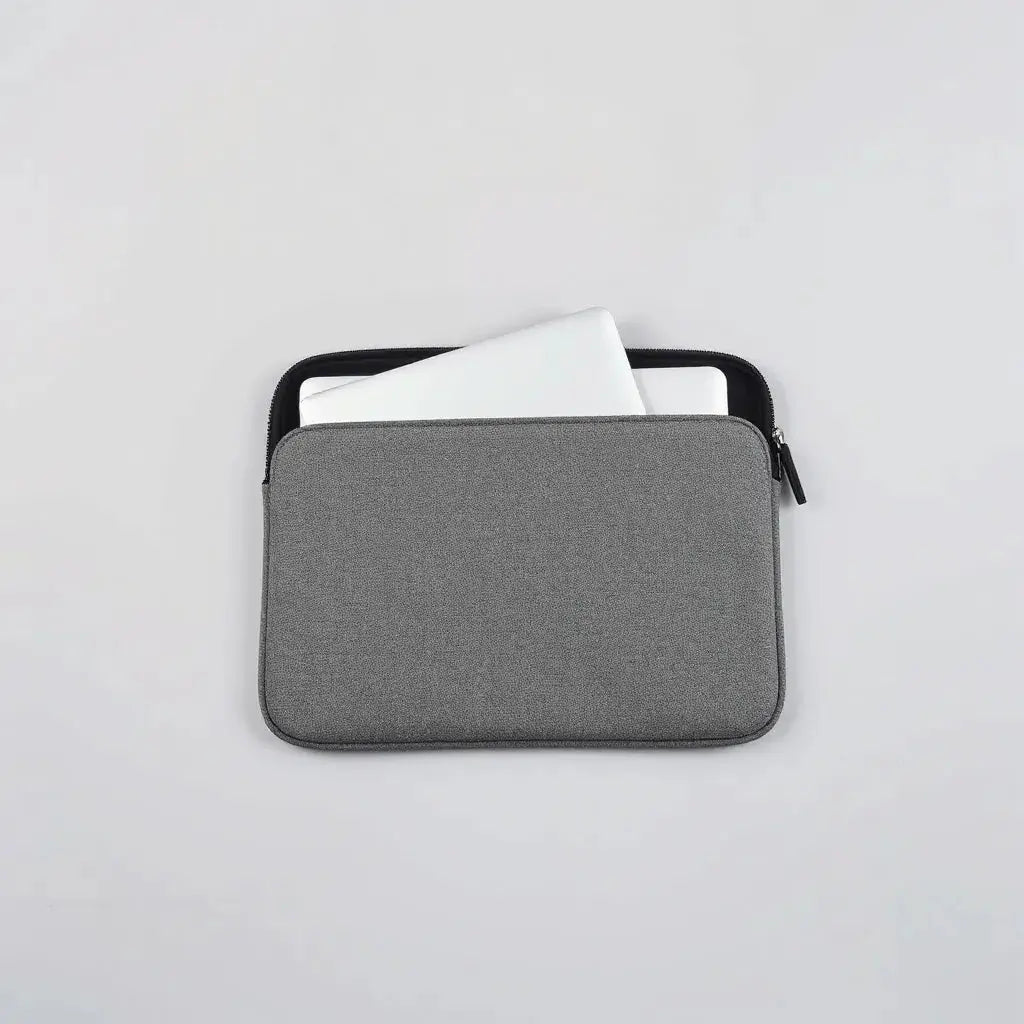
A neoprene laptop sleeve protects your device from everyday bumps, light water exposure, and dust. Its flexible padding helps reduce stress on corners and edges. A well-designed sleeve also supports a secure fit so your laptop stays stable during commuting or travel. With the right size, closure style, and thickness, you can improve both organization and everyday handling.
Updated on: 2026-06-07
A neoprene laptop sleeve combines flexible protection with a clean, comfortable carry feel.
It typically guards against scratches and minor impacts while helping limit dust and moisture from reaching your laptop.
Choosing the correct dimensions and closure method improves fit and device stability.
With thoughtful features such as padding level and interior lining, you can keep daily transport safer and more organized.
Buyer’s Checklist
If you are comparing options for a neoprene laptop sleeve, start with fit and protection first. The sleeve should match your laptop model size, allow safe insertion and removal, and keep the device from sliding inside. At the same time, the sleeve material should handle daily friction from bag movement and surfaces.
Use the checklist below to make a confident selection.
Exact dimensions: Confirm the sleeve supports your laptop screen size and, more importantly, your laptop depth and width. Some devices have thicker profiles due to ports or cases.
Padding level: Look for a balance between cushioning and slimness. Thicker padding can absorb shocks better, but it may add bulk in tight bags.
Interior lining: A soft lining helps reduce micro-scratches. It also improves grip so your laptop does not shift during movement.
Closure type: Zippers provide full coverage and a controlled opening. Sleeve designs with a secure top closure help minimize exposure while commuting.
Water and dust resistance: Neoprene often offers basic resistance to splashes and environmental dust. Consider your typical weather and transport conditions.
Port and accessory access: If you carry chargers, cables, or a small notebook, prioritize sleeves that support internal organization or easy stacking.
Comfort and carry feel: Check the texture and handle style, especially if you carry the sleeve by hand. Smooth surfaces reduce friction in backpacks.
Compatibility with your bag: Ensure it fits within your backpack, messenger bag, or hard case without bending the sleeve edge.

Checklist icons for fit, padding, lining, and closure
Step-by-Step Guide
Buying a neoprene laptop sleeve is easiest when you follow a clear decision flow. This section provides practical steps that reduce return risk and improve long-term satisfaction.
Measure your laptop profile: Use a tape measure for width, height, and depth. Include any keyboard cover or protective skin. If you use a rigid shell case, measure with it in place.
Match size to the sleeve: Compare your measurements to the sleeve specifications. Prefer options that list dimensions, not only screen size.
Evaluate the protection design: Look at how the sleeve surrounds the device. Full coverage across the sides and base usually offers better protection than sleeves that only wrap around the top.
Assess comfort features: Test the opening and closing method by checking product photos closely. A smooth zipper track and well-aligned seams reduce wear.
Plan for accessories: Decide whether you want a sleeve-only solution or a sleeve with pockets for charger and small cables. If your bag already has organizer compartments, a simple sleeve may be sufficient.
Consider surface friction: Neoprene can resist abrasion, but your laptop still benefits from a protective layer. For added protection where friction is highest, consider screen protection.
Pair with complementary products: If you frequently place your laptop in the same bag as keys or other gear, a layered approach can help. For example, you may also use a dedicated keyboard protector or an anti-glare screen protector.
For additional device protection resources, you can explore a collection of laptop sleeve options and compare styles across thickness and closure designs. If your main concern is screen protection, review anti-glare screen protectors for everyday visibility and scratch resistance. For surface protection at the keyboard level, consider a keyboard protector that reduces contact damage from dust and debris.
When you select a sleeve, remember that fit is more important than brand claims. The most protective sleeve is the one that keeps the device stable, prevents movement, and supports gentle handling during commuting.
How to choose thickness for a neoprene laptop sleeve
Thickness affects both impact absorption and transport convenience. If you often carry your laptop in a crowded backpack, aim for moderate cushioning that resists edge pressure. If your commute is brief and your bag already provides a rigid layer, a thinner sleeve can be more practical. In both cases, prioritize an interior lining that feels soft and reduces friction.
Closure and security considerations
A zipper-style closure often provides more reliable coverage than an open-top sleeve. Full closure reduces the chance of accidental slips when you remove your bag quickly. If you frequently insert and remove your laptop, look for smooth operation and a closure that aligns consistently with the track.

Cross-section visual of padding layers and stable fit
FAQ
Is a neoprene laptop sleeve enough for daily commuting?
For many people, a neoprene laptop sleeve is sufficient for daily commuting because it can reduce minor impacts and limit dust exposure. The level of protection depends on sleeve fit, padding thickness, and how you transport the device inside your bag. If your bag has limited structure, you may benefit from a sleeve with stronger padding and a stable internal fit.
What size neoprene laptop sleeve should I buy?
Buy based on your laptop dimensions rather than only screen size. Neoprene sleeves can vary in how they account for laptop thickness and protective accessories. Measure your laptop depth and compare it to the sleeve specifications. A sleeve that is slightly snug often performs better than a loose one because it limits movement during travel.
Do neoprene laptop sleeves protect against water?
Neoprene materials often provide basic resistance to light splashes and environmental dust. This can help during unexpected light rain or accidental condensation, but it is not a substitute for full waterproof protection. For consistently wet climates or heavy rain exposure, you may need additional protective measures, such as a weather-resistant outer bag layer.
How should I clean and maintain a neoprene laptop sleeve?
In most cases, you can maintain performance with gentle cleaning. Wipe the exterior with a soft cloth and mild soap if needed, then allow it to air dry fully. Avoid harsh solvents or high heat, as these can degrade material flexibility. Regular maintenance helps the sleeve remain comfortable and reduces odor buildup from daily use.
Closing Thoughts & CTA
A neoprene laptop sleeve is a practical choice for protecting a laptop in everyday conditions. When you focus on correct sizing, interior comfort, and closure security, you improve both protection and convenience. For a more complete protection strategy, consider pairing your sleeve with screen and keyboard accessories that match your usage patterns.
If you want to review more options that align with your device routine, visit Moarmouz and explore sleeve and accessory categories that support daily organization and transport protection. For an additional store option outside this site, you can also browse Richardsshops559.
Disclaimer: Product protection performance depends on device size, sleeve fit, and real-world conditions. This article provides general guidance and does not guarantee outcomes for any specific scenario.
About the Author
Moarmouz writes from a product-focused perspective on consumer electronics protection and everyday carry organization. Their expertise includes sleeve design considerations, material behavior, and selection frameworks for laptop accessories. They prioritize clear guidance that helps readers choose practical protection based on measurable fit and usage needs. Thank you for reading.
Share:
Shock-Resistant Laptop Sleeve: Fit and Protection Tips
Is a MacBook Hardshell Case Worth It in 2026?