



Updated on: April 1, 2026
A keyboard protector for MacBook is an essential accessory that shields your device's keyboard from dust, spills, and debris while maintaining typing comfort and responsiveness. This guide explores the benefits, features, and best practices for selecting and maintaining the right protection solution for your MacBook investment. Discover how a thin, transparent cover can extend your keyboard's lifespan and preserve your device's resale value. Learn the facts behind common misconceptions and find answers to frequently asked questions about keyboard protection.
Table of Contents
- Product Spotlight
- Myths versus Facts
- Frequently Asked Questions
- Final Recommendations
- Question and Answer Section
- About the Author
Understanding the Value of Keyboard Protection for Your MacBook
Your MacBook is a significant investment that deserves comprehensive care and protection. The keyboard represents one of the most vulnerable components of your device, facing constant exposure to environmental hazards. A keyboard protector for MacBook offers an affordable yet effective solution to safeguard this critical input device. Unlike previous generations of Mac computers, modern MacBook keyboards feature thinner mechanisms that can be more susceptible to damage from dust accumulation, liquid spills, and food particles.
The primary purpose of keyboard protection is to create a barrier between your fingers and the keyboard mechanism. This transparent or semi-transparent covering sits directly over the keys without affecting typing experience or device aesthetics. Many users find that quality protective covers provide peace of mind while traveling, working in various environments, or using their MacBooks in less-than-ideal conditions. The investment in a protective solution is minimal compared to the cost of professional keyboard repairs or replacements.
Environmental factors pose genuine risks to keyboard integrity. Dust particles can settle between keys, affecting performance over time. Liquid spills, whether from beverages, water, or other substances, can cause immediate and permanent damage. Food debris from eating near your device can accumulate and create operational issues. A keyboard protector for MacBook acts as your first line of defense against these common hazards.

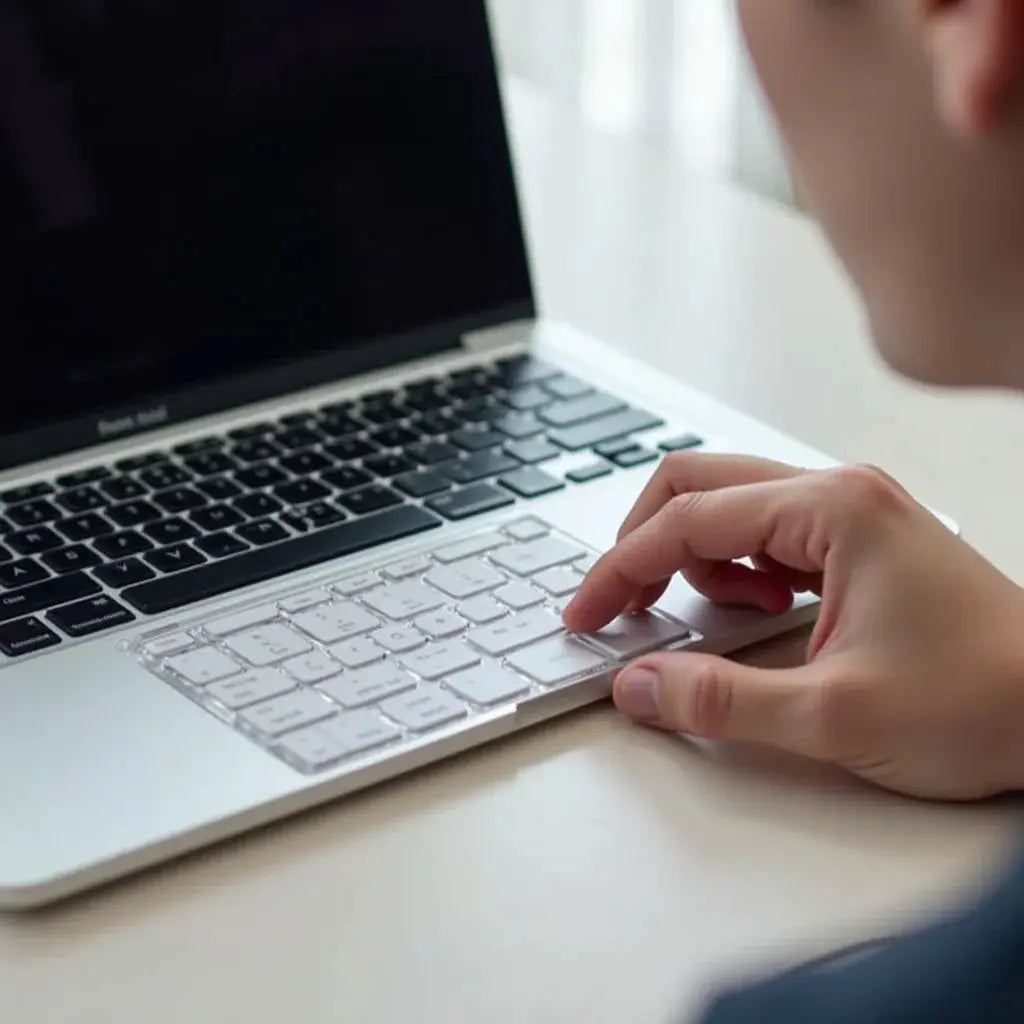
Transparent barrier protecting keyboard mechanisms from dust and liquid exposure
Product Spotlight
Quality keyboard protectors designed for MacBook models combine functionality with discretion. These accessories are engineered with precision to fit the specific key layout and dimensions of your MacBook model, whether you own a MacBook Air, MacBook Pro, or older generation device. The finest protective covers feature ultra-thin silicone or polyurethane materials that remain virtually invisible while providing reliable defense.
Premium keyboard protectors offer several distinguishing features that justify their selection. First, they maintain the original typing feel and key travel distance, ensuring that your work efficiency remains uncompromised. Second, the materials used are food-grade silicone or medical-grade alternatives that resist staining and degradation. Third, installation and removal are tool-free processes that take mere seconds, allowing easy cleaning underneath when necessary. Fourth, these covers are durable enough to withstand thousands of keystrokes while remaining flexible and comfortable for extended typing sessions.
The best protective solutions for MacBook keyboards are custom-designed for each specific model year and keyboard type. This precision fit ensures that keys maintain their tactile response and the protective layer does not interfere with the device's closing mechanism or screen contact. Many quality products feature reinforced edges that resist peeling or lifting during regular use. The transparency of modern protective covers means your MacBook's elegant design remains visible and uncompromised.
Installation simply requires aligning the cover with your keyboard layout and gently pressing down to ensure complete contact. The static-adhesive property of quality covers means they stay in place without leaving residue when removed. If you need additional device protection, consider pairing your keyboard cover with MacBook hardshell cases for comprehensive coverage when traveling.
Myths versus Facts About Keyboard Protectors
Myth: Keyboard protectors reduce typing speed and accuracy. Fact: Quality protective covers are designed with minimal thickness and remain virtually undetectable during typing. Professional typists and programmers use these covers without experiencing any reduction in speed or accuracy. The keys remain responsive and provide the same tactile feedback as an unprotected keyboard.
Myth: The protective cover will damage the MacBook screen when closed. Fact: Precision-engineered covers are designed with exact dimensions that accommodate the screen closing mechanism. They add negligible thickness and do not interfere with the display or damage the screen coating when the device is properly closed.
Myth: You cannot use keyboard shortcuts or function keys with a keyboard protector. Fact: Modern protective covers are transparent or semi-transparent and include precise cutouts or remain thin enough that all keyboard functions, including function keys, work normally. Some users report no difference in functionality whatsoever.
Myth: Protective covers trap heat and cause keyboard overheating. Fact: Quality silicone and polyurethane materials used in keyboard protectors are thermally neutral and do not impede heat dissipation. The cover is so thin that it does not create any meaningful heat retention.

Material comparison showing protection effectiveness versus minimal thermal impact
Myth: Once applied, a keyboard protector cannot be removed without damaging the keyboard. Fact: These covers are designed for easy removal and reapplication. The non-adhesive or gentle-adhesive design allows repeated removal without leaving marks or causing damage to individual keys or the keyboard base.
Frequently Asked Questions
How often should I clean my keyboard protector? Cleaning frequency depends on your usage environment. In general, wiping your protector weekly with a slightly damp microfiber cloth maintains clarity and hygiene. For users working in dusty or high-traffic environments, cleaning every few days is beneficial.
Will the keyboard protector work with external keyboards? Keyboard protectors are specifically designed for built-in MacBook keyboards. If you use an external keyboard, you do not need a separate protective cover for your MacBook keyboard, though you may consider protection for the external device itself.
Can I use the keyboard protector with keyboard cases or sleeves? Yes, a keyboard protector for MacBook works seamlessly with keyboard cases and sleeves for laptops. The protective cover remains in place, and the case provides additional external protection during transport.
What is the lifespan of a keyboard protector? Most quality protective covers last between one and three years, depending on intensity of use and care. Some users report using the same cover for longer periods. Replacement is simple and affordable when your original cover shows signs of wear or discoloration.
Does the keyboard protector prevent all types of liquid damage? While a keyboard protector provides a barrier against spills, it is not completely waterproof. It significantly reduces the risk of liquid reaching the keyboard mechanism, but for complete protection against major spills, avoiding liquid near your device remains important.
Final Recommendations
Investing in a quality keyboard protector for MacBook is a wise decision for any user seeking to extend their device's lifespan and maintain its resale value. The minimal cost compared to potential repair expenses makes this one of the most sensible protective investments available. We recommend selecting a protector that is specifically engineered for your exact MacBook model and year, as precision fit ensures optimal performance and protection.
When making your selection, prioritize products manufactured from food-grade silicone or medical-grade materials that resist staining and degradation. Look for transparent or nearly invisible designs that do not compromise your MacBook's aesthetic appeal. Consider your primary use case: if you frequently travel, work in challenging environments, or share your device with others, protective coverage becomes even more valuable.
Pair your keyboard protector with other essential accessories for comprehensive device protection. For instance, complementing your keyboard protection with anti-glare screen protectors and quality cases ensures your entire device remains secure during daily use and transport.
Regular maintenance of your protective cover, including gentle cleaning and occasional inspection for wear, extends its effectiveness. Replace your cover when you notice visible degradation, discoloration, or loss of clarity. The replacement process is quick and affordable, making regular updates a practical part of device maintenance.
Finally, remember that while a keyboard protector offers excellent protection against dust, debris, and minor spills, it works best as part of a comprehensive device care strategy that includes regular cleaning, careful handling, and awareness of your device's environmental surroundings.
Question and Answer Section
Should I choose a clear or tinted keyboard protector for MacBook?
Clear protectors remain virtually invisible and preserve your MacBook's original appearance completely. Tinted options provide the same protection while adding subtle color. Your choice depends on personal preference. Clear covers appeal to users who want complete transparency, while tinted covers suit those preferring a subtle design accent. Both options offer identical protective functionality.
Can a keyboard protector interfere with Touch Bar functionality on newer MacBooks?
Quality protectors are specifically designed with precise cutouts or appropriate thickness levels to accommodate the Touch Bar without interference. Your Touch Bar functions normally with a properly fitted protective cover. The thin design ensures that gestures and touch sensitivity remain completely unaffected by the protective layer.
Is it necessary to remove the keyboard protector before connecting external keyboards or using Target Display Mode?
The keyboard protector remains in place during all normal device operations. External keyboard connectivity is unaffected, and Target Display Mode functions normally with the protector installed. You only need to remove the cover if you are performing internal hardware maintenance, which requires accessing the keyboard mechanism directly.
How does a keyboard protector compare to keyboard insurance or AppleCare coverage?
A keyboard protector is a preventive measure that reduces the likelihood of damage occurring, while insurance or AppleCare covers damage that does occur. Using a protector proactively prevents many common issues, potentially reducing your need for repairs. These solutions complement each other rather than replacing one another. The small investment in protection is sensible alongside any extended coverage you maintain.
What materials are safest for keyboard protectors if I have sensitive skin?
Food-grade silicone and medical-grade materials are the safest options for users with sensitive skin. These hypoallergenic materials resist bacterial growth and do not contain harmful chemicals. If you have specific skin concerns, verify that your chosen protector uses these premium materials before purchasing.
Can I use a keyboard protector on older MacBook models?
Yes, protectors are available for virtually all MacBook models, including older generations. Verify that your selected protector matches your specific MacBook model and year, as keyboard layouts and dimensions vary across different generations. Older models often have excellent compatible options available at comparable pricing.
About the Author
This article was written by the dedicated team at Moarmouz, specialists in premium device protection solutions for Apple products. With extensive expertise in keyboard protection, screen preservation, and comprehensive device care, we understand the importance of maintaining your valuable technology investments. Our commitment to quality information and practical guidance helps users make informed decisions about protecting their MacBooks and other devices. We are passionate about extending device longevity while maintaining the elegant design and functionality that makes Apple products exceptional.
Share:
Mistakes to Avoid with iPad Privacy Screen Protectors
Maximize device compatibility with a USB Type-C OTG Adapter