



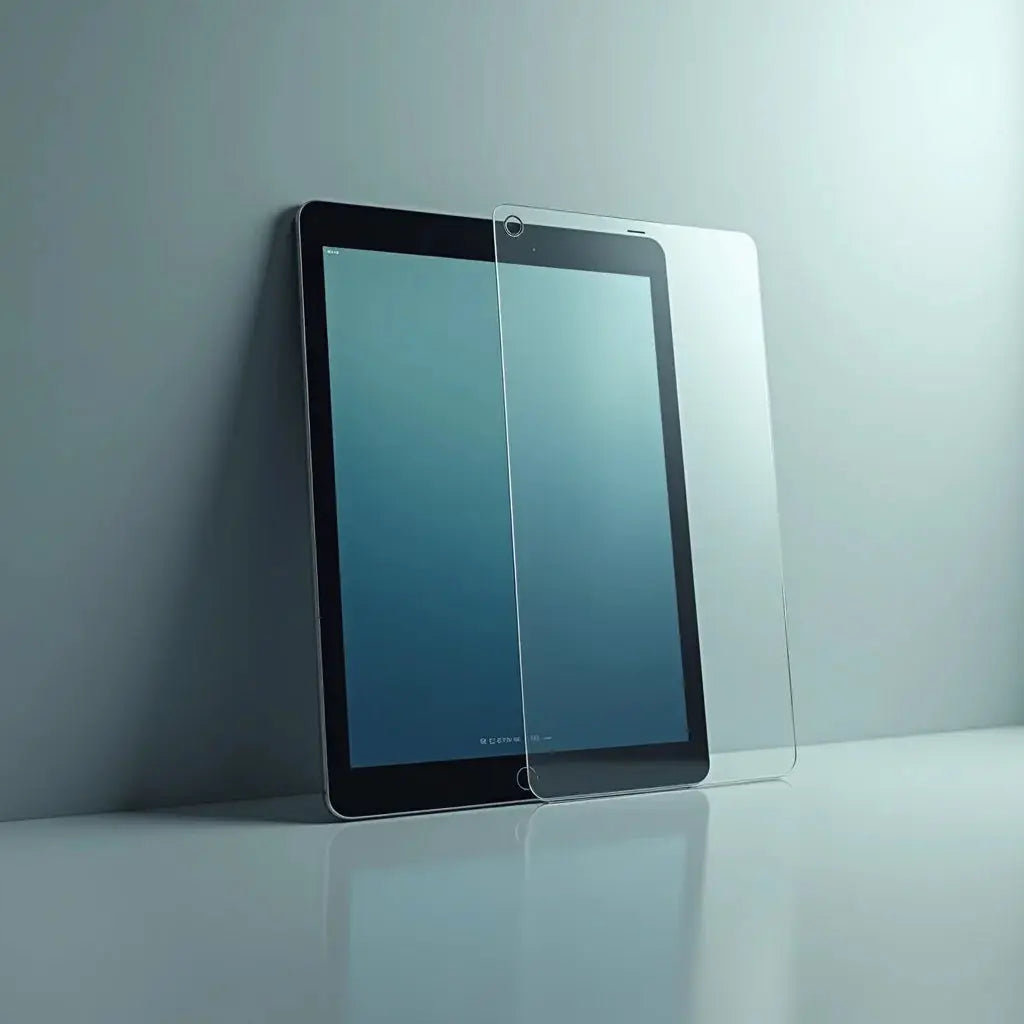
Updated on: March 30, 2026
Privacy screen protectors for iPad offer essential protection for your sensitive information while maintaining display clarity and touch responsiveness. These specialized filters limit viewing angles to prevent unauthorized access to your screen content. Learn how they work, their key benefits, and practical tips to choose the right solution for your digital privacy needs.
Table of Contents
- Why Privacy Matters for Your iPad
- Key Advantages of Privacy Screen Protectors
- Quick Tips for Selection and Installation
- Summary and Next Steps
- Frequently Asked Questions
- About the Author
Understanding Privacy Screen Protectors for iPad
In today's digital landscape, protecting your personal and confidential information has become paramount. Privacy screen protectors for iPad represent a practical solution for individuals and professionals who handle sensitive data regularly. These transparent films use specialized technology to restrict the visibility of your screen content to viewers positioned at extreme angles, ensuring that only you can see what appears on your display. Whether you work with financial records, medical information, or proprietary business data, these protectors provide an additional layer of security that goes beyond standard screen protection.
The technology behind these protective films involves micro-louver or liquid crystal display techniques that filter light passing through the screen. When you look directly at your iPad, the display appears completely normal with vibrant colors and sharp resolution. However, when someone attempts to view your screen from the side or from an angle, the content becomes obscured or darkened. This directional viewing restriction makes it significantly more difficult for unauthorized individuals to access sensitive information in public spaces, shared offices, or crowded environments.
Why Privacy Matters for Your iPad
Consider the experience of a financial consultant who regularly travels between client offices with confidential spreadsheets and investment portfolios displayed on her iPad. During a flight, she sits in a middle seat with passengers on both sides. Without proper protection, her sensitive financial data could be visible to neighboring travelers. After installing privacy screen protectors for iPad, she gained peace of mind knowing that only she could view the detailed information on her screen, even when seated in close proximity to others.
This scenario reflects a common concern for many professionals. Whether you are a healthcare provider reviewing patient records, an attorney reviewing case documents, or a business executive analyzing quarterly reports, the risk of inadvertent information exposure is real. Privacy screen protectors address this vulnerability by creating a personal viewing zone around your device, allowing you to work confidently in semi-public spaces without compromising data security.

Micro-louver technology filtering light at angles to restrict visibility from side views.
Key Advantages of Privacy Screen Protectors
Privacy screen protectors offer multiple benefits that extend beyond basic privacy protection:
- Enhanced Information Security: Restricts screen visibility to direct viewing angles, preventing shoulder surfing and unauthorized data access in public environments.
- Professional Appearance: Maintains a sleek, minimal aesthetic while providing robust protection without adding bulk to your device.
- Anti-Glare Properties: Many privacy filters simultaneously reduce screen glare and reflections, making them ideal for outdoor use and reducing eye strain during extended work sessions.
- Scratch and Impact Resistance: Protects your iPad display from accidental scratches, minor impacts, and dust accumulation.
- Easy Installation and Removal: Most quality protectors adhere without permanent damage, allowing for straightforward application and replacement when necessary.
- Compatibility with Accessories: Designed to work seamlessly with cases, keyboard covers, and other protective accessories without interfering with functionality.
- Improved Focus and Productivity: By limiting peripheral visibility, these protectors help reduce distractions and encourage concentrated work sessions.
The combination of security and functionality makes privacy screen protectors an intelligent investment for anyone who uses their iPad in varying environments. Organizations often implement these protective measures across their device fleets to ensure compliance with data protection regulations and maintain professional standards.
Choosing the Right Protection for Your iPad
Selecting appropriate privacy protection requires understanding your specific needs and usage patterns. Consider the viewing angle restriction, typically ranging from thirty to sixty degrees on each side of center. Wider restriction angles provide greater security but may require more precise positioning for comfortable viewing. Evaluate the optical clarity and color accuracy, as some filters may slightly reduce brightness or alter color reproduction.
Material composition matters significantly. Tempered glass options provide superior durability and a premium feel, while film-based protectors offer lighter weight and easier installation. Check the anti-fingerprint coating quality to minimize smudges and maintain display clarity throughout the day. Additionally, verify that the protector is specifically designed for your iPad model, as different screen sizes and edge designs require precise fitment.

Comparison of viewing angle restrictions showing center direct visibility versus blocked side angles.
Professional users often explore additional options like the keyboard protection solutions available for iPad accessories, creating a comprehensive protective ecosystem around their devices. Similarly, organizations concerned about complete device protection may consider iPad cover options that complement screen protectors with physical impact resistance.
Quick Tips for Selection and Installation
- Measure your iPad screen dimensions precisely before ordering to ensure optimal fit and coverage.
- Clean your iPad display thoroughly with the included microfiber cloth and alcohol wipes before application to prevent dust particles underneath the protector.
- Apply the protector in a dust-free environment, preferably a bathroom with the shower running to minimize airborne particles.
- Use a squeegee or application card with gentle pressure to remove air bubbles and ensure complete adhesion.
- Allow the adhesive to cure for twenty-four hours before regular use to maximize durability and optical clarity.
- Test the viewing angle restrictions from multiple positions to understand your device's privacy zone.
- Review the protector monthly for signs of wear, peeling edges, or reduced optical quality.
- Consider replacing privacy protectors every twelve to eighteen months depending on usage frequency and environmental exposure.
For those seeking comprehensive device protection, exploring anti-glare screen protector options can provide additional benefits beyond privacy. These solutions address both security and environmental viewing challenges simultaneously.
Industry Insights and Best Practices
Major organizations across healthcare, finance, and legal sectors have adopted privacy screen protectors as standard security measures. The National Institute of Standards and Technology recognizes display privacy controls as a component of comprehensive information security frameworks. Corporate data protection policies increasingly mandate privacy screens for devices used in public spaces or during travel.
Security researchers emphasize that while privacy protectors significantly reduce unauthorized visual access, they should be part of a layered security approach. Combining display privacy with strong device passwords, biometric authentication, and data encryption creates a robust protective framework. This multi-layered strategy addresses both physical security and digital vulnerabilities.
Summary and Next Steps
Privacy screen protectors for iPad provide practical, accessible protection for sensitive information in professional and personal contexts. By restricting viewing angles and preventing shoulder surfing, these protective films enable you to work confidently in public environments without compromising data security. The technology is mature, widely available, and compatible with most iPad models and accessories.
To implement privacy protection effectively, assess your specific security requirements and usage environment. Research protectors designed for your particular iPad model, considering factors like viewing angle restriction, optical clarity, and material composition. Prioritize quality from reputable manufacturers, as inferior products may compromise display quality or fail to provide adequate protection. Take time to install the protector carefully, following manufacturer guidelines to achieve optimal results. Finally, establish a maintenance routine to monitor the protector's condition and plan replacements as needed to maintain consistent security and display quality.
If you are expanding your device protection strategy, explore comprehensive solutions like protective cases and sleeves that complement screen protectors with physical durability. A complete protection approach ensures your valuable device and sensitive information remain secure across all usage scenarios.
Frequently Asked Questions
Do privacy screen protectors reduce the brightness and clarity of my iPad display?
Quality privacy protectors minimize brightness reduction through advanced optical engineering, typically reducing brightness by five to fifteen percent. Premium products maintain excellent color accuracy and clarity for direct viewing, though they may slightly dim off-angle views intentionally. The brightness reduction is usually negligible during normal use, especially in well-lit environments. If brightness preservation is critical for your work, research specific models and read professional reviews before purchasing to compare optical performance across different products.
Will a privacy screen protector interfere with my iPad's touch sensitivity and responsiveness?
Modern privacy protectors are engineered to maintain full touch responsiveness and gesture recognition capabilities. They work seamlessly with Apple's touch technology without creating lag or reducing precision. High-quality protectors include specialized coatings that preserve the natural touch experience of your iPad. Installation quality matters significantly, as air bubbles or improper adhesion could theoretically affect responsiveness in affected areas. Proper installation following manufacturer guidelines ensures optimal touch performance throughout the protector's lifespan.
Can privacy screen protectors be used with iPad cases and keyboard accessories?
Privacy screen protectors are designed for compatibility with most standard iPad cases and accessories. They apply directly to the display and do not interfere with physical attachments like protective cases, magnetic keyboard covers, or accessory connectors. However, verify specific compatibility for your chosen protector and accessories to ensure seamless integration. Some extremely bulky or non-standard accessories might create slight conflicts at screen edges, but mainstream cases and keyboards present no compatibility issues.
How do I remove and replace a privacy screen protector without damaging my iPad?
Quality privacy protectors are designed for clean removal without permanent adhesion. Gently lift one corner using a fingernail or soft plastic tool, then slowly peel away from your device at a low angle. Applying gentle heat with a hair dryer can soften adhesive and facilitate easier removal. If residue remains, use a soft microfiber cloth with minimal isopropyl alcohol to clean your screen gently. Always support your iPad securely during removal to prevent accidental drops or damage.
What is the expected lifespan of a privacy screen protector?
Under normal usage conditions, quality privacy protectors typically maintain effectiveness for twelve to eighteen months. Lifespan depends on environmental factors like temperature fluctuations, humidity, sunlight exposure, and usage intensity. Regular cleaning with appropriate materials preserves optical quality and adhesion. Signs of degradation include peeling edges, reduced clarity, weakened privacy restriction angles, or increased visible dust particles. Monitoring your protector regularly allows you to replace it proactively before significant performance decline affects your work.
Are privacy screen protectors worth the investment for casual iPad users?
Even casual users benefit from privacy protection when using their devices in public spaces or around family members. The investment is relatively modest compared to device replacement costs or potential information compromise. If you handle any personal information, financial data, or work-related content on your iPad, privacy protection becomes justifiable. Casual entertainment and social media users may prioritize other protective features, but anyone occasionally viewing sensitive content would find these protectors valuable.
Do privacy screen protectors work against camera-based spying attempts?
Privacy screen protectors specifically block direct optical viewing angles but do not prevent camera-based surveillance if a camera is positioned directly in front of your screen. For comprehensive protection against camera-based threats, combine screen protectors with camera covers and regular security audits of connected devices. These protectors are most effective against passive observation and shoulder surfing rather than active electronic surveillance attempts.
Can I apply a privacy protector myself, or should I hire a professional?
Most privacy screen protectors are designed for straightforward consumer installation without specialized tools or expertise. Manufacturers typically include application cards, cleaning materials, and detailed instructions. With patience and careful attention to the installation process, you can achieve professional-quality results at home. Professional installation services may be helpful if you lack confidence in your application skills, though the additional cost may not justify the expense for most users.
What environmental conditions affect privacy protector performance?
Extreme temperature fluctuations, high humidity, and prolonged sunlight exposure can affect adhesion and optical clarity over time. Store your iPad and replacement protectors in climate-controlled environments when possible. Avoid leaving your device in hot vehicles or damp environments for extended periods. Seasonal changes may require adjusted viewing angles as adhesive properties vary slightly with temperature. Maintaining stable storage conditions helps preserve protector integrity and effectiveness throughout its lifespan.
Are there privacy protector options specifically designed for iPad Pro models?
Yes, manufacturers produce privacy protectors sized specifically for iPad Pro models, accounting for their larger displays and distinctive screen dimensions. iPad Pro protectors may incorporate additional features like Apple Pencil compatibility or optimized viewing angles for the larger screen format. When selecting a protector for iPad Pro, ensure the product explicitly states compatibility with your specific model and generation, as screen sizes vary across the iPad Pro lineup.
How do privacy filters compare to other privacy solutions like screen locks or document management software?
Privacy screen protectors address physical visibility concerns through hardware-based filtering, while software solutions like screen locks and document management systems address digital access control. These approaches are complementary rather than competitive. A comprehensive privacy strategy combines hardware protectors for physical security with software measures for digital access control. Together, they create layered protection addressing both viewing angle risks and unauthorized digital access attempts.
Can privacy screen protectors be used on other Apple devices besides iPad?
While privacy screen protectors are available for various Apple devices including iPhones and MacBooks, products are designed specifically for each device's dimensions and specifications. Do not attempt to use iPad protectors on other devices. If you use multiple Apple devices, you may need to purchase separate protectors for each device. Organizations seeking comprehensive device protection often implement privacy solutions across entire device fleets for consistent security standards.
What certifications or standards should I look for when purchasing privacy protectors?
Quality privacy protectors meet industry standards for optical clarity, adhesive safety, and durability. Look for products tested for compliance with applicable safety standards and certified for compatibility with Apple devices. Manufacturer reputation, customer reviews, and warranty provisions provide additional confidence in product quality. Established brands typically offer better consistency, customer support, and reliable performance compared to generic alternatives.
Do privacy screen protectors affect wireless charging or other wireless functionalities?
Privacy screen protectors apply only to the display surface and do not interfere with wireless charging, Bluetooth, or Wi-Fi functionality. These technologies operate through different communication channels unaffected by optical filtering layers. Your iPad's wireless capabilities remain fully functional with a privacy protector installed. Charging speed and wireless connectivity performance remain unchanged when using quality protectors properly installed.
How can I maximize the lifespan of my privacy screen protector?
Regular cleaning with microfiber cloths and mild cleaners preserves optical quality and prevents dust accumulation. Avoid harsh chemicals, abrasive materials, or excessive pressure during cleaning. Store your device in protective cases that prevent edge impacts and peeling. Maintain stable environmental conditions away from extreme temperatures and humidity. Handle your device carefully to avoid drops that could damage the protector edges. Establishing consistent care habits significantly extends protector lifespan and maintains security effectiveness.
Are matte privacy protectors available for reduced glare alongside privacy features?
Many manufacturers offer hybrid protectors combining privacy restriction with anti-glare properties. These matte-finish options reduce reflections and screen brightness simultaneously, benefiting users in bright environments. Matte privacy protectors sacrifice some color vibrancy and display brilliance compared to clear options but provide superior outdoor usability. Choose between clear and matte based on your primary usage environment and display quality priorities.
What should I do if my privacy protector develops bubbles or imperfections after installation?
Small bubbles often resolve as adhesive cures over twenty-four hours. For persistent bubbles, gently lift the affected area and use a squeegee to reapply pressure, pushing air toward the edges. Avoid using excessive force that could crack tempered glass or damage the protective coating. If bubbles affect a large area or refuse to resolve, you may need to remove and reinstall the protector. Keep replacement protectors on hand for situations requiring complete reinstallation.
Can privacy protectors be combined with blue light filtering films for eye comfort?
Combining multiple specialized protective films could compromise optical clarity and may create installation complexity. Consider hybrid products that combine privacy restriction with blue light filtering if both features are important for your usage. These combination protectors provide both benefits through a single, optimized application. Verify that hybrid products maintain acceptable color accuracy and clarity before committing to purchase.
How do privacy screen protectors support compliance with data protection regulations?
Organizations handling sensitive personal data or healthcare information often implement privacy protectors as part of compliance frameworks under regulations like GDPR, HIPAA, or PCI DSS. These protectors demonstrate reasonable security measures to prevent unauthorized data exposure. While privacy protectors alone do not ensure full regulatory compliance, they form an important component of comprehensive data protection strategies. Consult with compliance officers to determine appropriate protective measures for your organization's specific requirements.
What advantages does professional-grade privacy protection offer compared to consumer products?
Professional-grade privacy protectors often incorporate advanced optical technology providing superior viewing angle restriction and clarity. They may include stronger adhesion formulations, enhanced durability, and longer lifespan expectations. Professional products typically come with comprehensive warranties and technical support. However, for most users, quality consumer products provide adequate protection at significantly lower cost. Evaluate whether professional features justify additional investment based on your security requirements and usage intensity.
About the Author
This article was created by the team at Moarmouz, a leading provider of protective accessories for Apple devices and electronics. With years of experience in device protection and security solutions, Moarmouz is committed to helping individuals and organizations safeguard their valuable technology and sensitive information. Our expertise spans protective cases, screen protectors, and comprehensive device security solutions designed for modern users who demand both functionality and protection. We believe that effective device protection should be accessible, affordable, and uncomplicated, enabling everyone to work confidently with their technology regardless of their environment. Thank you for trusting Moarmouz as your partner in protecting what matters most.
Share:
13 Pro Accessories Must Have Gear for Power Users Tips
Protect Your MacBook Keyboard with a Keyboard Protector