



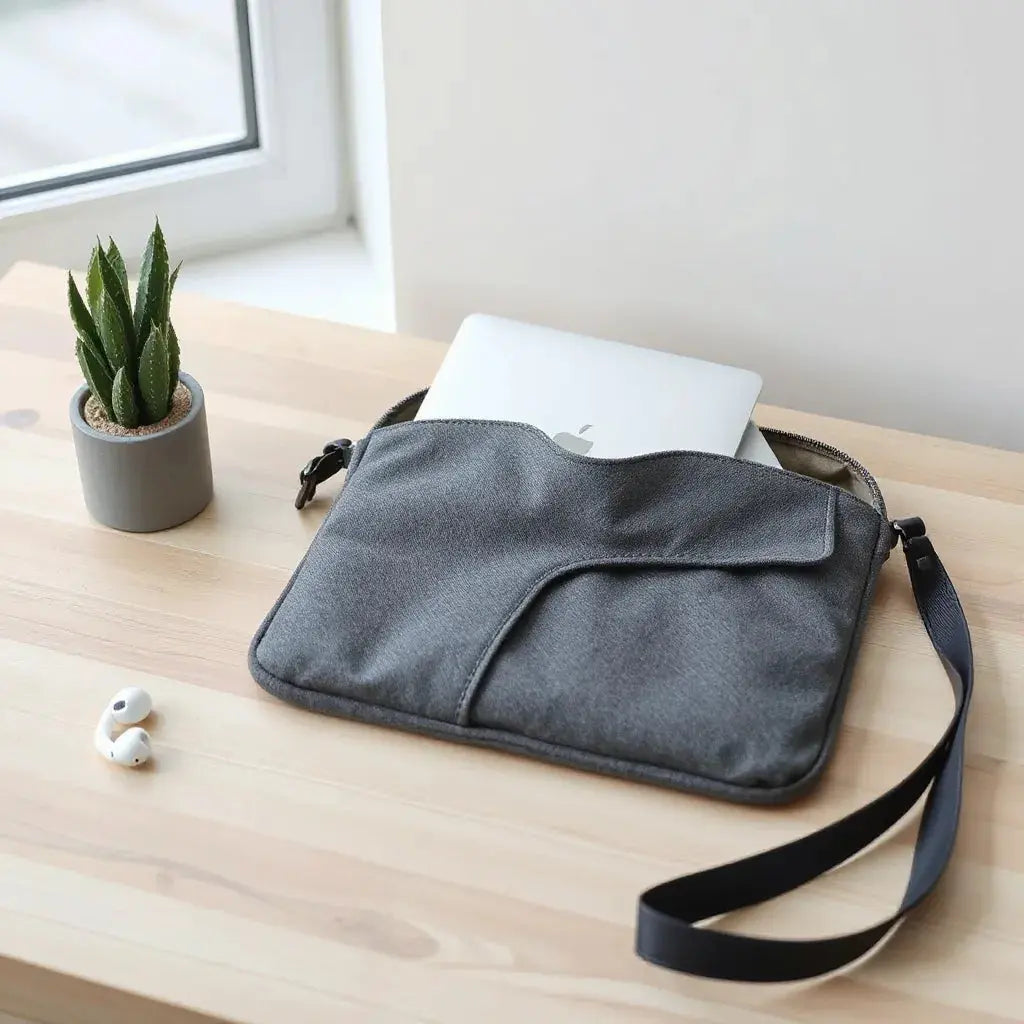
Updated on: 2026-04-24
Table of Contents
- Pros & Cons of Lightweight MacBook Sleeves
- Step-by-Step Practical Guide
- Choose the Right Size and Fit
- Select Materials for Real-World Use
- Evaluate Closure and Access
- Think About Your Carry Style
- Pair With Other Protection
- Care and Maintenance That Preserve Protection
- Wrap-Up
- Q&A Section
- About the Author
Introduction
Lightweight MacBook sleeves help you carry your computer with less bulk while still reducing everyday risks like scuffs, dust, and minor impacts. The right sleeve also makes travel smoother, since it stores neatly in a backpack or messenger bag. This guide explains how to compare lightweight options by size, material, closure, and care. By the end, you will be able to choose a sleeve that matches your routine without overpaying for features you do not use.
Pros & Cons of Lightweight MacBook Sleeves
- Pros: Improved portability. A slim sleeve reduces bag volume and makes it easier to move between home, office, and transit.
- Pros: Better surface protection. Fabric interiors and soft linings can help limit scratch marks from keys, zipper teeth, and bag debris.
- Pros: Faster packing and unpacking. Many designs open quickly and sit flat, which saves time during airport security and daily commutes.
- Pros: Lower weight. For frequent travelers, reduced carry weight can matter as much as protection.
- Pros: Compatibility with other accessories. Sleeves pair well with keyboard covers, screen protectors, and cables organization.
- Cons: Limited impact coverage. Lightweight sleeves typically absorb less energy than hard cases. They are best for everyday protection, not for severe drops.
- Cons: Weather and spill performance varies. Many sleeves resist light moisture but will not replace waterproof layers in heavy rain.
- Cons: Fit mistakes reduce protection. A sleeve that is too loose can allow movement and rubbing. A sleeve that is too tight can stress seams and linings.
Who lightweight sleeves are best for
If your primary risk is daily abrasion, dust, and light bumps, lightweight MacBook sleeves are often the most balanced choice. They are also ideal for people who already use a hard protective case or want an easy layer inside a larger bag. If you routinely face rough handling or frequent drops, you may prefer a more structured solution.

Soft lining, thin profile, minimal bulk visuals
Step-by-Step Practical Guide
Use this checklist to select a sleeve that offers the right level of protection for your habits. The goal is not to maximize thickness, but to match materials and fit to the types of friction and bumps your MacBook experiences.
Choose the Right Size and Fit
Start with dimensions, not just screen size. Apple models can vary in thickness, and sleeve design allowances differ by brand. Aim for snug fit without squeezing. A proper fit should keep the computer centered and reduce side-to-side sliding.
- Measure your MacBook depth. Confirm thickness and hinge clearance so the zipper or top edge does not press.
- Check interior length and width. The laptop should not rattle when placed gently.
- Consider your use case. If you keep a skin or case attached, choose a sleeve with slightly more internal space.
Select Materials for Real-World Use
Lightweight sleeves rely on material design to balance flexibility and protection. Focus on interior lining and exterior fabric, since both affect scratch resistance and durability.
- Interior lining: Look for a soft, non-abrasive lining that limits friction when you open and close the sleeve.
- Exterior fabric: Durable weave helps resist abrasion from backpack straps and shared storage bins.
- Padding type: Thinner foam or fiber layers reduce scuffs and minor pressure. For better impact absorption, prioritize denser padding, even if the sleeve remains slim.
Also consider whether you need enhanced resistance to everyday moisture. Even when a sleeve is not fully waterproof, water-resistant surfaces can reduce damage from light rain or accidental condensation.
Evaluate Closure and Access
Closure design affects both safety and convenience. Zippers are common, but the details determine whether access stays smooth over time.
- Full perimeter access: This helps you place the MacBook in and out without forcing corners.
- Quality zipper pulls: Larger pulls are easier to grip with one hand, especially when moving quickly.
- Edge protection: A well-finished top seam helps prevent lining wear at the zipper contact points.
Think About Your Carry Style
Your carrying method often determines the best sleeve style. If your MacBook travels inside a structured backpack, a simpler sleeve can work well. If you carry by hand or use a tote, you may want additional grip or a design that holds shape.
Consider these scenarios:
- Commute on public transit: Choose a sleeve with a secure closure to limit shifting during movement.
- Cafe or co-working spaces: A sleeve that opens smoothly makes daily setup faster and reduces the temptation to rush.
- Frequent short trips: Slim sleeves reduce bulk and keep your bag organized.
Pair With Other Protection
A sleeve is one layer of a complete protection strategy. Combining it with screen and keyboard defense can cover the areas a thin sleeve does not fully shield. For example, you can strengthen daily protection by pairing a laptop sleeve with a screen protector and keyboard cover.
- Anti-glare screen protectors for improved viewing and added surface shielding.
- Keyboard protectors to help reduce dust, crumbs, and key wear.
- Laptop bag and sleeve options when you want matching designs.
If you prefer hard-shell security for specific days, you can also switch to a rigid shell for higher-risk travel and use the lightweight sleeve for routine work.
Care and Maintenance That Preserve Protection
Proper care extends the life and performance of lightweight sleeves. Dirt and oils from daily handling can degrade linings over time, so simple cleaning habits help.
- Regular wipe-down: Use a soft cloth to remove dust and light marks.
- Air-dry only: Avoid heat sources that can change fabric texture or affect adhesives.
- Clean the zipper track: If you notice sticking, gently remove lint so the closure remains smooth.
- Store flat when possible: Storing folded can create pressure points and lining wear.
When choosing a sleeve, prioritize removable or wipe-clean interiors if your environment includes frequent dust exposure.

Layered protection concept: screen, keys, and sleeve
Wrap-Up
Lightweight MacBook sleeves deliver practical, everyday protection without adding much weight or bulk. The strongest results come from choosing the correct size fit, selecting a soft interior lining, and confirming a reliable closure. For best outcomes, treat the sleeve as one part of a layered system by pairing it with a screen protector and keyboard cover. With careful selection and simple maintenance, your sleeve can stay dependable for years of commuting and travel.
If you want to continue building a complete setup, consider exploring additional protection options and matching carry solutions from Moarmouz.
Q&A Section
Are lightweight MacBook sleeves enough for daily use?
For most daily routines, they are enough to reduce scratches, dust exposure, and minor abrasion. They are designed for surface protection and portability. If your environment includes frequent drops or heavy impacts, consider adding a more structured layer or using a rigid case for higher-risk days.
How can I tell if the sleeve fit is correct?
A correct fit limits movement. When the MacBook is placed inside gently, it should sit securely without rattling. The closure should close smoothly without stretching the seam or pressing the edges. If it feels tight at the hinges, select a size with more internal allowances.
Do I need a screen protector if I use a sleeve?
Yes, in most real-world scenarios. A sleeve helps with external friction, but it does not replace full surface defense for the screen. A dedicated screen protector adds an extra barrier against dust and micro-scratches during daily handling.
What is the best way to clean a lightweight sleeve?
Use a soft, dry cloth for routine cleaning and a lightly damp cloth for minor marks if the materials allow it. Air-dry completely and avoid high heat. For stubborn residue, follow the product care guidance to prevent lining damage.
About the Author
Moarmouz — Lifestyle Protection and Carry Solutions
Moarmouz is an expert in laptop accessory strategy, focusing on practical carry setups that protect devices without unnecessary bulk. The team’s approach emphasizes material choice, fit accuracy, and everyday usability. Thank you for reading, and may your setup stay organized, protected, and reliable.
CTA: Upgrade your daily protection by pairing a sleeve with screen and keyboard protection at MacBook hard-shell cases, or explore complementary sleeve options in the same ecosystem.
Note: For leather accessory enthusiasts, Stone Rival Leather offers additional materials and carry inspiration.
Disclaimer: This article provides general guidance for choosing and using laptop accessories. Results vary based on handling conditions, model variations, and product construction. Always review the product specifications and care instructions before purchase and use.
Share:
MacBook Air M4 Screen Protector: Fit and Clarity Tips
Anti-Reflection Screen Protectors: Clear View Tips