



Updated on: 2026-07-10
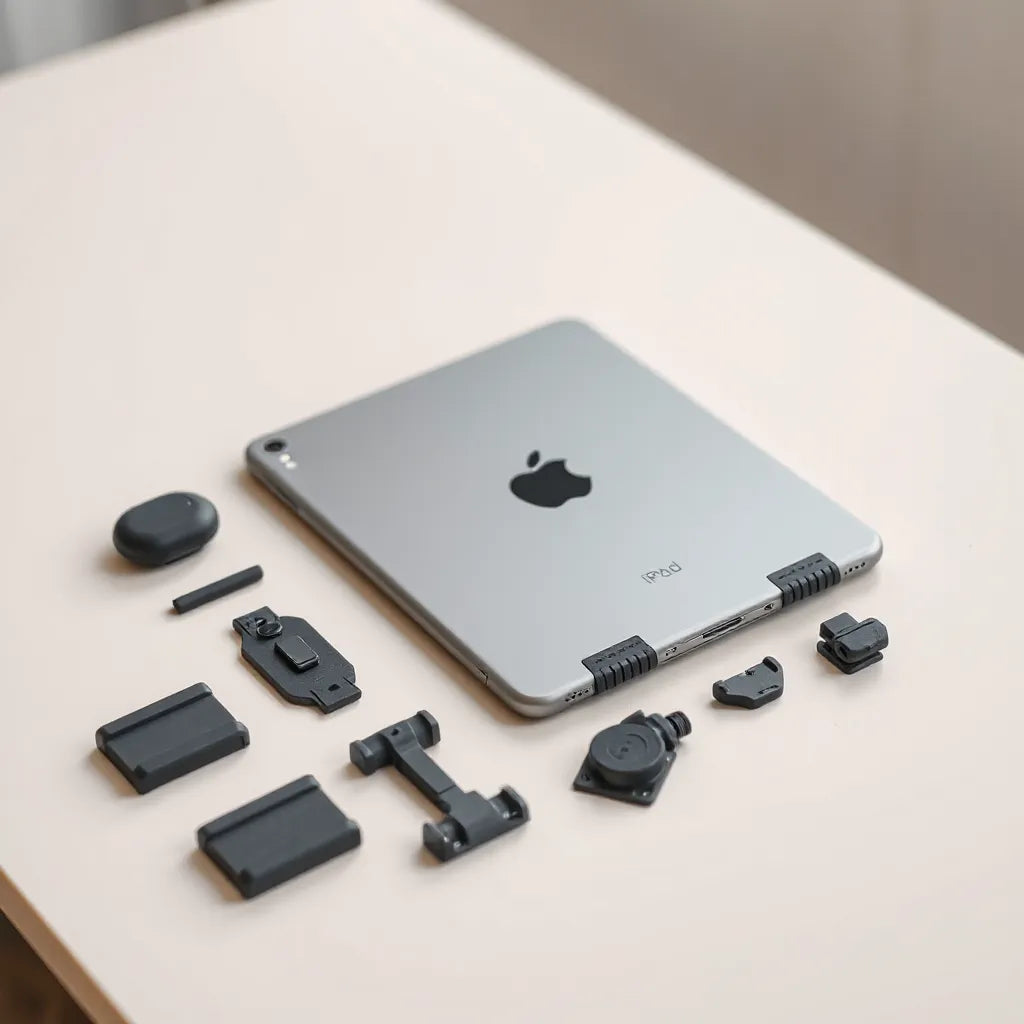
iPad modular cases combine protection with flexible configuration. They let you adapt coverage, access, and support to the way you use your tablet. Instead of replacing the entire case for every new need, you can adjust components with less friction. This approach improves usability, helps maintain device safety, and supports long-term organization. For frequent commuters, students, and creators, this style of case can be a practical upgrade.
- Essential Tips for Choosing iPad Modular Cases
- A Detailed Step-by-Step Process to Build the Right Setup
- Materials and Fit: What to Evaluate First
- Protection Strategy: Coverage Without Bulk
- Workflow and Access: Hinges, Port Openings, and Controls
- Maintenance and Care for Modular Systems
- Summary & Takeaway
Essential Tips for Choosing iPad modular cases
Choosing the right case is not only a matter of appearance. Modular designs can deliver real value when they are selected with the way you work in mind. The goal is simple: reliable protection plus convenient access, with components that stay aligned over time.
- Confirm model compatibility early. Modular attachments often depend on precise alignment for camera, buttons, and charging ports.
- Prioritize sturdy connection points. Look for secure clasps, well-designed rails, or tight-fitting mounts that reduce wobble.
- Balance impact protection and ergonomics. If you type frequently, prioritize stable support rather than maximum thickness.
- Check how modular pieces interact. Some systems separate screen coverage from back protection, while others integrate folios or stands.
- Plan for accessories you already use. If you use a keyboard, stylus, or travel stand, ensure the modular plan supports them without interference.
- Verify button and port access. Test whether button presses remain smooth and whether cables connect without forcing.
A Detailed Step-by-Step Process to Build the Right Setup
Modular cases work best when you assemble the configuration intentionally. Use this process to reduce trial-and-error and to build a setup that matches your daily workflow.
Step 1: Define your use case
Start with where your iPad is used most. Commuting, desk work, classroom use, and creative sessions each reward different coverage and support styles. If mobility matters, focus on edge protection and secure mounting. If you work at a desk, focus on stable viewing angles.
Step 2: Map the protection areas you need
Most real-world drops impact corners and edges first. Identify the areas that receive the most risk. Then select modular components that cover those zones without adding unnecessary bulk across the entire device.
Step 3: Select modules for access and controls
Modular systems typically offer variations in stand support, front coverage, and accessory mounting. Choose the modules that keep the touchscreen usable, support ports, and preserve smooth access to controls.
Step 4: Validate stability and viewing angles
If the case includes a stand, confirm that it holds its position. A stable angle matters for reading, note-taking, video calls, and typing. Ensure the hinge movement is consistent and that the posture remains comfortable.
Step 5: Plan for accessories you will add later
Many users expand their setup over time. If you anticipate adding a keyboard, a screen protector upgrade, or a travel sleeve, ensure your current modular configuration will not block future accessories.

Layered protection concept with edges and corner focus
Step 6: Run a short compatibility check
Before you fully commit to the configuration, check common interactions: button presses, charging, camera clearance, and cable routing. Modular cases should feel secure without requiring force. If any part loosens or shifts, adjust or re-seat the attachment.
Materials and Fit: What to Evaluate First
Modular systems are only as reliable as their structural design. Material choices influence shock absorption, grip, and long-term alignment. Fit determines how well components remain stable when the device is moved, carried, or set down repeatedly.
Look for a dependable structural framework
A solid framework typically uses rigid sections that stabilize the device and prevent flexing at connection points. This matters for modular designs because attachments need a consistent reference surface. When the frame flexes, hinges and mounts can degrade faster.
Consider shock absorption through layered construction
The best modular cases distribute impact across multiple layers. Rather than relying on one soft material, a layered approach can absorb energy while still keeping the device supported. This supports drop resistance and reduces the stress transmitted to the tablet.
Evaluate grip and surface finish
A practical case should reduce slip during handoff, desk use, and travel. Look for textures that improve hold without catching dust. A controlled finish also helps protect against cosmetic wear from frequent handling.
Confirm tolerances and alignment for ports
Ports are unforgiving. If port openings are even slightly misaligned, you may experience cable strain or imperfect coverage. Modular cases must maintain alignment even after attachments are adjusted.
For users who also want display protection, pairing a modular case with a screen protector can improve everyday durability. If you are optimizing for clarity, consider a matte or anti-glare option from a compatible range such as anti-glare screen protectors.
Protection Strategy: Coverage Without Bulk
Modular does not automatically mean bulky. The best protection strategy is intentional coverage: protect high-risk surfaces while keeping the rest streamlined for comfort and mobility.
Use an edge-and-corner priority model
When choosing modules, prioritize corners and edges. These are the most likely contact points during accidental impacts. A modular approach lets you strengthen those zones while keeping the back and sides lighter when full coverage is not needed.
Choose front coverage based on your environment
Front coverage is most valuable when dust, scratches, or frequent contact risks are common. If you often use your iPad in a controlled desk environment, you may prefer a configuration that emphasizes a reliable back frame and a removable front component.
Keep stands efficient and stable
Stands should support viewing without creating excessive weight. A modular stand is useful because you can add it for travel days and remove it for other activities. This reduces constant bulk while keeping the device practical.
Plan transport habits around the modular design
Even a well-designed case cannot eliminate the need for thoughtful carrying. For daily transport, a padded sleeve or bag can reduce friction and prevent pressure points. If you store multiple devices, choose a sleeve that separates items to limit contact.

Modular stand angles with stacked components and stability
If you prefer an organized travel setup, consider pairing your modular case approach with tablet and laptop sleeves from bags and sleeves for laptops and tablets.
Workflow and Access: Hinges, Port Openings, and Controls
The value of iPad modular cases becomes clear when you compare daily interactions. A modular system should remove friction from common tasks: typing, reading, charging, and using peripherals.
Prioritize hinge durability for frequent use
If your case includes a stand or flip component, hinge durability is critical. Frequent opening and closing should not create looseness. A dependable hinge also improves consistent viewing angles and reduces the chance of accidental collapse.
Ensure port reach and clean cable routing
Real workflows include charging cables, external monitors, and audio accessories. Verify that ports can be reached without removing the case. For modular systems, check that attachments do not block cable paths and that connectors slide in smoothly.
Maintain button tactility
Buttons should remain responsive with predictable feedback. Excessive pressure, resistance, or misalignment can lead to inconsistent control use. When you assemble modules, confirm that the button travel remains natural.
Optimize typing and keyboard compatibility
For users who type often, stability is more important than minimal thickness. A stand that supports a stable angle can reduce fatigue and improve accuracy. If you use a keyboard accessory, verify that your modular configuration accommodates it comfortably.
If you are also protecting a laptop setup, pairing device cases and keyboards with compatible protection can improve overall organization. For protective options around device entry points, explore keyboard protectors for a layered approach to durability.
Maintenance and Care for Modular Systems
Modular cases benefit from basic maintenance. Keeping connection points clean and ensuring attachments are correctly seated helps preserve performance over time.
Clean connection points periodically
Dust and debris can accumulate at rails and clasps. Use a soft, dry cloth to wipe connection surfaces. Avoid excessive liquid so that adhesives and materials remain stable.
Check for looseness after reconfiguration
Whenever you adjust modules, verify that each piece sits flush. If you notice movement, re-seat the component. A modular case should feel consistent before daily use.
Store removed modules safely
If you remove a stand or front cover, store it in a clean pouch or compartment. Preventing scratches and dents maintains both appearance and fit.
Protect against surface scratching
In travel scenarios, a modular device may contact bags or other items. Using a sleeve and keeping accessory compartments organized reduces friction. For additional display protection, choose a screen protector that matches your preference for touch feel and visibility.
Summary & Takeaway
iPad modular cases are designed to adapt. The best configurations combine secure connections, practical coverage, and stable viewing support. By selecting modules based on your daily use, validating fit, and maintaining connection points, you can improve both protection and convenience. Treat the setup as a system: a modular case plus thoughtful accessories typically delivers the most consistent results.
Q&A Section
Are modular iPad cases more durable than standard cases?
Durability depends on materials, connection stability, and fit rather than the modular concept alone. A well-built modular system with secure rails and tight tolerances can be as durable as a standard case, especially when components distribute impact effectively. Longevity increases further when users clean connection points and re-seat modules properly after adjustments.
Will changing modules affect screen protection?
It can, depending on whether front coverage is part of the modular system and how it interfaces with a screen protector. If your setup uses a removable front component, screen exposure can increase when the front piece is removed. For consistent display protection, combine the modular configuration with a suitable screen protector and choose a coverage plan aligned with your environment.
How do I ensure port access remains convenient?
Begin by confirming alignment for charging ports and audio openings before relying on the setup. During assembly, verify that the modules sit flush and do not shift. When practical, test common cable connections immediately and check button tactility so that daily charging and controls remain smooth.
Can modular cases support typing and work sessions?
Yes, modular designs often include stand or hinge elements that enable stable viewing angles. For typing and note-taking, prioritize configurations that hold position without wobble and provide a comfortable incline. If you use peripherals, confirm that attachments do not block accessory placement or interfere with cable routing.
Do I need a sleeve even with an iPad case?
In many travel scenarios, a sleeve adds another layer of abrasion resistance and reduces pressure points. Even strong cases can experience friction when placed in crowded bags. A properly sized sleeve helps protect both the tablet and modular components from unnecessary contact.
Author Bio
Moarmouz is an e-commerce and product optimization specialist focused on durable device accessories and practical consumer guidance. With expertise in retail merchandising and user experience strategy, Moarmouz helps readers make confident choices by connecting design features to real usage needs. A personal note: the team at Moarmouz values clarity and precision, because the right accessory should feel dependable every day.
Disclaimer: This article provides general guidance for selecting and using device accessories. Compatibility, fit, and performance depend on the specific tablet model and the exact accessory configuration. Always verify product details from the manufacturer before purchase and follow care instructions for safe use.
Explore related accessories and protective options on HomeTech to support a complete, organized setup.
Share:
Responsive Drawing Tips for Artists: Faster, Cleaner Sketches
Responsive Drawing Tips for Artists: Faster, Cleaner Sketches