



Updated on: 2026-07-08
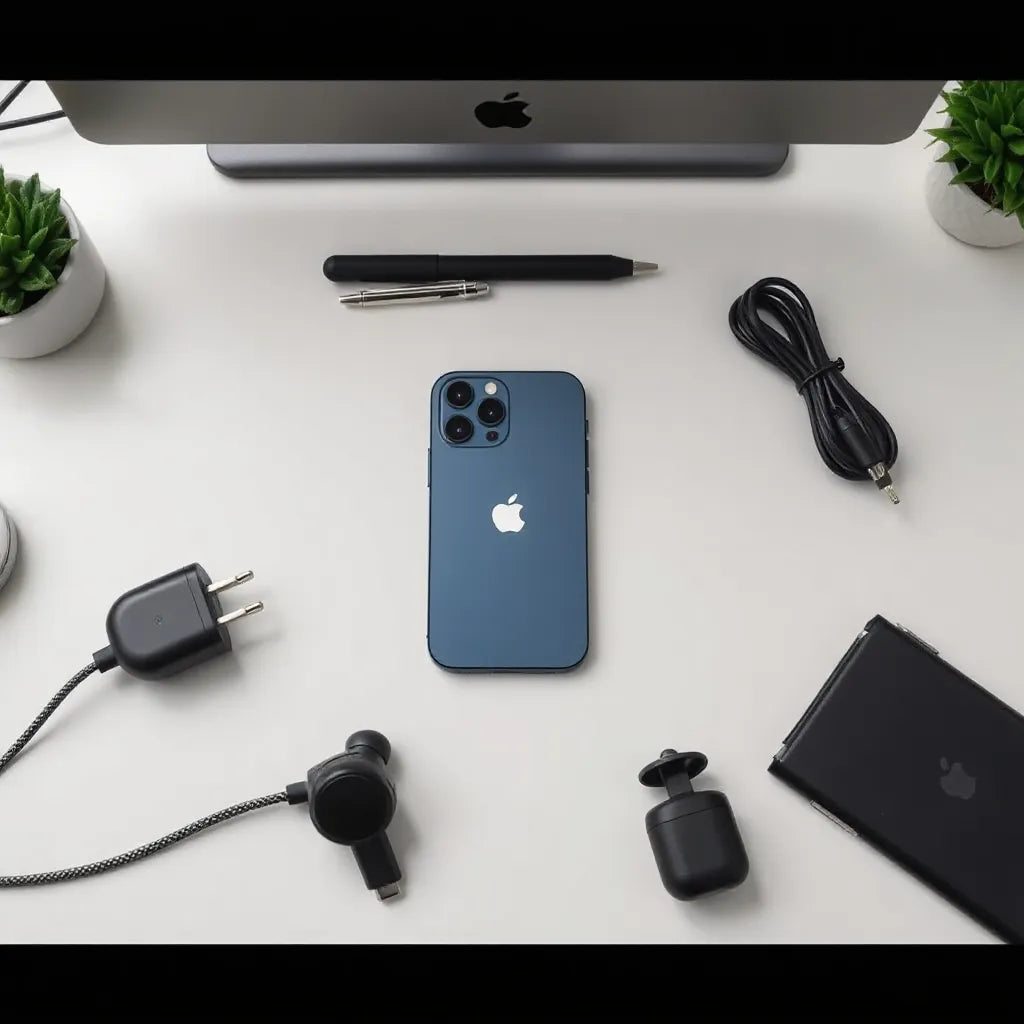
Choosing the right iphone 13 pro accessories can improve everyday usability and protect your device from common risks. The best upgrade is usually the one that matches your routine: desk work, commuting, travel, or outdoor use. A balanced accessory setup also helps maintain a clean look, better grip, and more reliable charging. This guide explains what to prioritize and how to select accessories with practical criteria.
iphone 13 pro accessories that deliver the biggest real-world impact
If you are searching for iphone 13 pro accessories, start with protection and daily comfort. Many accessory categories look similar online, but the differences matter in grip, button feel, cable reliability, and screen clarity. For most owners, the most noticeable improvement comes from combining a durable case with a high-clarity screen protector and a dependable charging setup.
In day-to-day use, your phone faces repeated stress: pockets, bags, dust, fingerprints, and small impacts. A well-designed case reduces the risk of edge and corner damage. A screen protector preserves touch responsiveness and keeps the display readable, even under bright light. When these are paired with organized charging and audio accessories, the device becomes easier to use consistently.
One practical way to build this foundation is to select a case designed for your preferred handling style. Some users need slimmer profiles, while others want extra drop resistance. Likewise, if you work outdoors or near windows, screen clarity becomes a priority. Finally, charging accessories should support your routine, whether that is quick top-ups at a desk or longer sessions during travel.
What to look for when comparing accessories
- Compatibility: Confirm fit for buttons, camera cutouts, speaker openings, and wireless charging.
- Material behavior: Choose cases that resist scuffs and maintain structure over time.
- Surface and grip: A matte finish can reduce visible fingerprints and improve hold.
- Screen performance: Look for smooth touch feel and strong resistance to scratches.
- Charging reliability: Prioritize accessories that stay firmly connected and manage strain.
For screen protection and a more comfortable viewing experience, a focused approach is useful. If you spend time reading messages, maps, or documents outdoors, you may benefit from an anti-glare screen protector rather than a basic cover. For example, you can explore options like anti-glare options that are designed to reduce glare while maintaining clarity.

Illustration of layered protection: edges, glass, and grip
Step-by-Step How-To build an accessory set for iphone 13 pro
Rather than buying random items, use a clear selection method. The goal is to cover the most frequent needs first: protection, usability, and connectivity. Follow the steps below and keep your priorities aligned with your schedule.
Step 1: Identify your top daily scenario
Start by choosing the environment you spend most time in. Decide which category fits you best.
- Desk and meetings: Prioritize screen clarity and stable charging.
- Commuting and errands: Prioritize grip, scratch resistance, and cable management.
- Travel: Prioritize sturdy protection, compact accessories, and fewer fragile items.
- Outdoor use: Prioritize visibility and reduced glare.
Step 2: Choose a protective case that matches your risk level
When selecting a case, consider how you carry your phone. If you often place it directly into a pocket, edges and corners require attention. If you use a bag, a thicker case can help absorb minor impacts from other items.
Also check for practical details: button responsiveness, camera protection, and whether the case supports wireless charging smoothly. If your priority is minimal bulk with daily protection, compare slimmer models against more rugged designs and choose based on your handling style.
Step 3: Add a screen protector for clarity and touch accuracy
The screen is the area that experiences the most frequent contact: taps, swipes, and occasional keys or sand exposure. A quality screen protector can help maintain readability while preserving touch accuracy. If you frequently use your phone outdoors, consider glare control to reduce eye strain and improve contrast.
To explore screen protection approaches, review options such as anti-glare protectors and compare them by finish, edge fit, and user experience.
Step 4: Organize cables and charging habits
Charging accessories are often overlooked, yet they determine how consistently you can power the device. The most common frustrations come from loose connections, cable breakage at the plug, or strain caused by poor routing.
To reduce daily friction, choose cables that feel sturdy and remain secure. If you connect your phone often in a car or while traveling, prioritize cables with reinforced strain relief. You can browse compatible options at cable selections.
Step 5: Improve audio and accessory storage
If you use wireless earbuds, you may also want an airpods case for protection and organization. A charging-and-transport routine works better when small items do not rattle inside your bag.
For accessory storage ideas, you can review airpods cases that are designed to keep the earbuds secure and easy to access.

Checklist visual: grip, glass, cables, and daily routing
Step 6: Verify that accessories work together
Many conflicts happen after purchase: a case that interferes with screen edges, a cable that does not sit firmly, or a protector that affects touch accuracy. Before you finalize your setup, confirm fit and compatibility.
- Check the case alignment around cameras and speakers.
- Test button presses for comfort and full movement.
- Swipe across the screen to confirm smooth touch.
- Plug in charging and confirm stable connections.
A short personal experience with iphone 13 pro accessories
I used to treat accessories as afterthoughts. I ordered a case that looked good but did not match my daily motion patterns, which led to a slippery feel when I held the phone one-handed. After a few weeks, I noticed more fingerprints and minor scuffs around the edges.
Once I replaced the screen protector with a clearer, smoother option and adjusted my charging routine with a sturdier cable, the difference was immediate. The phone felt easier to hold, and the screen stayed more readable in bright conditions. Most importantly, the setup reduced small frustrations that accumulated throughout the day.
This is why an informed approach works best. The right iphone 13 pro accessories do not only protect; they improve the daily interaction that determines whether you enjoy using the device.
Summary & Recommendations
Building a reliable accessory set for iphone 13 pro is best done in stages. Start with protection, then optimize usability, and finally refine charging and storage for convenience. When you prioritize compatibility, material quality, and screen performance, you avoid the most common buying mistakes.
Recommended baseline setup
- Protective case with strong edge coverage and good button feel.
- Screen protector chosen for touch comfort and display clarity.
- Quality cable that remains secure and reduces daily strain.
- Optional storage such as an airpods case to keep small items organized.
Practical buying checklist
- Does the accessory fit your daily scenario, such as commuting or desk use?
- Is the build quality designed to last beyond a few weeks of normal handling?
- Will the accessory setup interfere with charging or screen operation?
- Can you maintain a clean look without constant cleaning effort?
If you want to explore curated categories that match this approach, start with case and protection collections. You can also compare organized options for accessories across the site, such as iphone cases, screen protection, and charging accessories.
Q&A Section
Which iphone 13 pro accessories should I buy first?
Begin with a protective case and a screen protector. These two items directly influence safety from everyday scratches and minor impacts. After that, select a dependable charging cable that suits your routine. This sequence prevents compatibility issues and improves comfort from the start.
Do screen protectors affect touch responsiveness?
A quality screen protector is designed to preserve touch accuracy. When installation is correct and the protector matches the screen layout, gestures and typing typically remain smooth. If you notice delays or uneven response, the fit or surface finish may be the cause.
What is the most common accessory mistake for iphone 13 pro owners?
The most frequent mistake is choosing items without verifying compatibility. Examples include cases that do not align around buttons or screens that do not fit correctly at the edges. Another common issue is selecting cables that feel adequate initially but fail under repeated bending and strain.
About the Author
Moarmouz focuses on consumer electronics accessories and practical device protection strategies. The author brings expertise in accessory selection criteria, compatibility checks, and user-focused product evaluation. With a goal of helping readers make confident purchases, the team emphasizes durability, fit, and real-world usability. Thank you for reading and for building a smarter accessory setup.
Disclaimer: This article is for general informational purposes only. Product availability and specifications may vary by retailer and over time. You should review the official product details for compatibility and installation instructions before purchasing or applying any accessory.
Share:
PaperType Screen Protector: Fit and Care Tips That Work
PaperType Screen Protector: Fit and Care Tips That Work