On this page
Apple device protection is not only about preventing damage. It is also about reducing downtime, protecting personal data, and maintaining device performance over time.
A strong protection strategy combines smart settings, careful physical handling, and durable accessories. When you align these layers, you lower the risk of costly repairs and unexpected interruptions.
This guide explains practical steps you can apply to iPhone, iPad, Mac, Apple Watch, and AirPods. You will also learn how to choose covers, screen protection, and storage practices with clear trade-offs.
Use the checklist and decision points to build a plan that fits your daily habits.
Pros & Cons of Apple device protection
Apple device protection can improve reliability, limit repair costs, and support better long-term use. However, it also involves trade-offs in comfort, bulk, and budget. A clear view of the advantages and disadvantages helps you choose the right level of protection without overbuilding.
Key advantages
Lower repair and replacement risk: Screen and corner protection can reduce damage from drops and daily impacts.
Less downtime: With stronger coverage, devices may continue working normally even after minor incidents.
Better privacy posture: Security settings and backups help limit data exposure if a device is misplaced.
Improved resale value: Keeping surfaces clean and intact often supports higher trade-in offers.
More consistent usability: Reliable grip and scratch resistance can make daily use easier.
Common drawbacks to consider
Added thickness or weight: Cases and covers can change how devices feel and fit in bags.
Compatibility constraints: Some accessories may interfere with charging, ports, or magnetic features.
False confidence: No accessory can prevent all accidents. Protection should complement, not replace, good habits.
Maintenance effort: Screen films and covers must be kept clean to avoid reduced clarity.
Budget allocation: Spending too much on low-impact items can reduce overall value.
Step-by-Step Practical Guide
To build reliable Apple device protection, combine five layers: risk reduction, security, physical coverage, contingency planning, and maintenance. This approach is simple to implement and scales with your real usage patterns.
Layer 1: Reduce risk before incidents
Start with changes that prevent accidents rather than only responding to them. For most people, the biggest gains come from controlling where devices travel and how they are handled during daily tasks.
Use dedicated carry routines: Keep devices in a consistent compartment. Avoid mixing them with keys or loose tools.
Choose safe surfaces: Do not place devices on edges of desks, counters, or open car seats where slips are common.
Mind temperature and humidity: Extreme heat or moisture can stress materials and affect battery behavior.
Lower drop probability: Use a grip-friendly case and avoid one-handed usage near hard floors.

Desk edge hazard symbols and safer storage icons
Layer 2: Secure access and data
Physical protection helps, but security settings are equally important. When the device is protected against unauthorized access and you have reliable recovery options, the impact of loss is reduced.
Use strong passcodes: Prefer longer passcodes over short numeric codes. Avoid sharing them.
Enable device lock features: Ensure the device auto-locks quickly after inactivity.
Turn on secure backups: Regular backups help you restore quickly after repairs or replacements.
Review account access: Confirm that recovery methods are accurate and that your Apple ID settings are up to date.
Consider device discovery options: Enable location-based features so you can locate a missing device when supported.
Security is also a workflow decision. If you frequently install new apps, review permissions and avoid granting unnecessary access to sensitive data.
Layer 3: Use physical protection correctly
Physical protection should match your device model and your daily environment. Screens, edges, and charging ports are the most common failure points, so your accessory choices should prioritize these areas.
For iPhone and iPod touch
Choose a case with controlled impact zones: Look for raised edges around the display and camera area.
Add screen protection: A high-quality screen protector reduces scratches and can improve survivability during minor drops.
Confirm compatibility with charging: Some cases can make cables fit poorly. Ensure button access and port clearance.
If you want a focused approach, start with screen protection and a well-fitted case. For example, you can explore phone case options at iPhone cases for designs intended to support day-to-day use.
For iPad and tablets
Use covers that support stable handling: Folio or cover-style protection can reduce pressure on corners during storage.
Protect the screen while traveling: Screen-safe covers prevent scratches when devices share bags with other items.
Plan for keyboard or stylus use: Make sure magnets and attachment points align with accessories you already own.
For screen-first protection, consider tablet cover options such as iPad covers that are designed for protection in real carry scenarios.
For MacBook and desktop setups
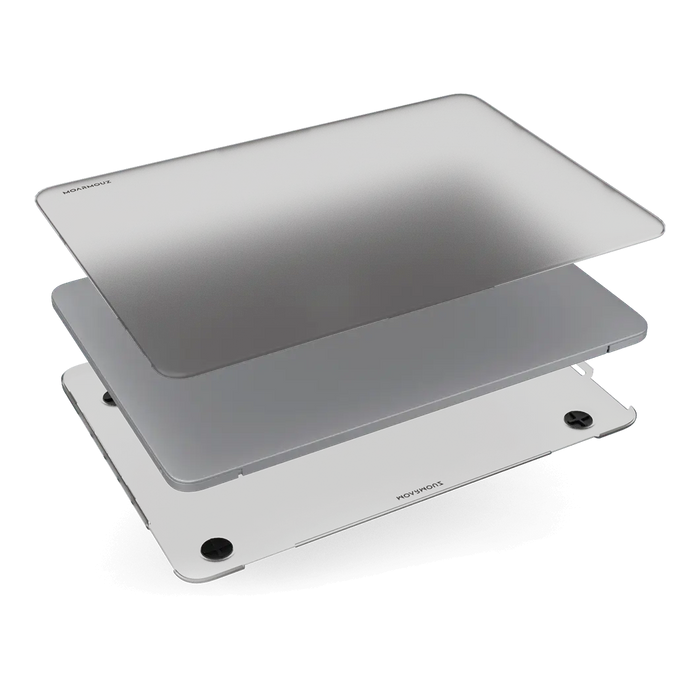
Protect the lid and keyboard surfaces: Skin-like or shell-based solutions help reduce scuffs from daily contact.
Manage dust and debris: Use a consistent cleaning routine and avoid placing the laptop directly onto dusty surfaces.
Support airflow: Ensure accessories do not block vents or create heat traps.
For Apple Watch
Prioritize scratch resistance: Watch screens are exposed to constant contact with sleeves and surfaces.
Match comfort to your lifestyle: A secure strap fit improves stability and reduces chance of knocks.
Maintain clean sensor areas: Dirt can reduce sensor accuracy over time.
For AirPods and accessories
Keep the case protected: A protective case reduces wear on the lid and helps prevent small dents.
Store in a consistent location: AirPods are easy to misplace when they move between pockets and bags.
If you want a practical accessory starting point, browse compatible options at AirPods cases.

Layered protection icons: screen film, corners, and ports
Layer 4: Prepare for loss or damage
Preparation reduces stress when something goes wrong. Your goal is to be able to act quickly and accurately, not to guess during an emergency.
Keep proof of ownership: Save purchase information and serial details in a secure location.
Know your recovery workflow: Confirm which account credentials and recovery steps you need for restoration.
Document condition: Take photos of device condition and accessories. This helps with service requests.
Plan for temporary devices: Identify how you will access essential apps and communications if a repair takes time.
For screen-sensitive devices, protective films may be part of the plan. For example, an option like privacy magnetic screen protection for MacBook Air can support privacy goals while also reducing surface abrasion. Ensure that any protector matches the exact device model and installation method.
Layer 5: Build a routine for maintenance
Maintenance extends the life of both the device and the protection accessories. It also helps you spot problems early, such as lifted screen edges or trapped debris.
Clean safely and consistently: Use a microfiber cloth designed for electronics. Avoid abrasive materials and strong solvents.
Inspect edges regularly: Check for peeling screen protector corners or case damage that could allow dust or moisture buildup.
Manage cables and ports: Avoid forceful plugging and remove debris gently. If a cable does not fit smoothly, verify alignment.
Update software: Regular updates can improve security and device stability.
Keep accessories matching your environment: Consider seasonal needs. For example, dusty work settings may require extra cleaning frequency.
When you treat protection as a routine rather than a one-time purchase, the overall outcome is more consistent. This is especially important if you frequently travel, commute, or work in shared spaces.
Wrap-Up
Apple device protection works best when it is layered and practical. Reduce accident risk with safe carry habits, secure your data through strong access controls and backups, and select physical protection that matches your device and daily movements. Then prepare for loss or damage with a clear recovery workflow and keep everything in good condition through regular inspection and careful cleaning.
If you want a simple starting point, focus on two areas first: screen protection and a well-fitted case or cover. After that, expand into security and maintenance routines. Over time, this structured approach helps you prevent avoidable damage and maintain device performance.
For accessory options that support daily protection goals, explore curated categories on Moarmouz and choose items that fit your specific devices.
Q&A Section
Does Apple device protection require buying multiple accessories at once?
Not necessarily. A practical approach is to prioritize the most failure-prone areas first, typically the screen and corners. Once those are covered, you can add secondary layers such as storage discipline, cable care, and backup routines. Many users see the best value by improving habits and addressing the highest-risk surfaces before expanding to additional accessories.
What is the most common cause of damage despite using a case or cover?
Most damage comes from drops, but many incidents involve how the device is handled during removal from bags or pockets. Loose storage, crowded compartments, and rushing during movement can increase impact likelihood. Even with a case, uneven clearance, poor grip, or placing the device on edges can lead to slips that no accessory can fully prevent.
How should I choose a screen protector for maximum benefit?
Choose protection based on device model compatibility, installation quality, and clarity requirements. Avoid screen protectors that do not align properly with your device display. Also consider your environment: for frequent travel or bright lighting, you may prefer options that reduce glare and help maintain readability. After installation, inspect edges for bubbles or lifting, and keep the surface clean to maintain performance.
Is software security part of Apple device protection?
Yes. Physical protection reduces visible damage, but security settings protect information and reduce the consequences of loss. Strong passcodes, timely auto-lock, backups, and accurate recovery methods help you restore quickly and limit unauthorized access. Security and physical protection together create a more complete defense.
How often should I replace a damaged case or screen protector?
Replace accessories when you notice peeling edges, cracks, or loose fit that could allow dust intrusion. A protector that is lifting can trap debris and may reduce effectiveness. For cases, replace them when structural impact zones are compromised or when buttons and port areas no longer align comfortably.
About the Author Section
Moarmouz
Moarmouz is a topic specialist in consumer electronics care and accessory strategy, focused on helping users build durable, practical protection systems. The approach emphasizes compatibility, daily usability, and clear decision-making rather than excessive spending. Thanks for reading, and may your devices stay ready for everyday use.