



Updated on: 2026-09-07
Choosing the right screen protection is a practical decision that affects daily usability. A PaperType screen protector focuses on preserving clarity while reducing everyday risks like fingerprints and minor scuffs. This guide explains how these protectors are built, how to select the correct fit, and which expectations are realistic. You will also find common myths, clear FAQs, and final recommendations to help you buy with confidence.
Product Spotlight
A PaperType screen protector is designed to sit between your display and the objects it meets throughout the day. The goal is straightforward: maintain a clean view, support smooth touch interaction, and provide a protective layer against light abrasion. Many owners prefer these protectors because they can reduce visible fingerprints, help limit glare in bright conditions, and extend the look of the screen over time.
From a performance standpoint, the most important factors are optical clarity, edge coverage, and touch responsiveness. A dependable protector should align with the device screen size and fit smoothly along the edges. In daily use, small differences in alignment can impact comfort, especially during swipes and typing.
When shopping, also consider your environment. If your device frequently travels in bags or pockets, edge durability and scratch resistance become more meaningful. If you use your device outdoors, anti-reflective behavior and readability can matter. For many users, the best option is the one that balances protection with a natural viewing experience.

Screen-safe layering concept: display glass, protective film, clean fingerprints symbol
PaperType screen protector: what it is and how it works
The term “PaperType” typically refers to a protector made to feel more paper-like or matte in certain implementations, while still offering practical screen coverage. In everyday terms, it functions as a thin barrier that reduces friction and helps prevent minor abrasions that can build up through contact with dust, keys, and everyday surfaces.
Mechanically, screen protectors rely on a layered structure. The outer surface is engineered to resist micro-scratches and to interact well with oils from skin. Beneath the surface, the adhesion layer is intended to bond securely without leaving permanent residue when removed properly. For optical quality, the material is designed to manage light transmission so text remains readable and colors remain consistent.
It is helpful to set expectations correctly. A PaperType screen protector is not a substitute for careful handling. It is a shield against minor wear and day-to-day contact. For serious drops onto hard surfaces, a protector may help, but the display can still be damaged depending on impact force and angles.
To select with confidence, focus on three criteria: compatibility with your exact device model, coverage that reaches the usable display area without interfering with sensors, and touch performance that matches how you use the device. When those conditions are met, the benefits become obvious within the first days of daily use.
Myths vs. Facts
Myth: A screen protector makes the screen unbreakable
Fact: Screen protectors reduce risk from minor abrasion and light contact. They do not guarantee protection against every drop, impact, or bending force. For best results, handle the device carefully and consider additional protection like a case.
Myth: Matte or “paper-like” protectors always reduce visibility
Fact: Some matte surfaces can slightly change contrast or reflectivity, but modern films are engineered to remain readable. The best PaperType screen protector options prioritize clarity and balanced anti-glare behavior.
Myth: Installation must be perfect or the protector is useless
Fact: Precision matters, but most problems are avoidable. Careful cleaning, correct alignment, and patient smoothing often prevent bubbles and misplacement. If you notice early lifting, re-check alignment before daily use.
Myth: Fingerprints and smudges will disappear forever
Fact: No protective layer eliminates fingerprints entirely. A quality protector can reduce visible residue and make cleaning easier, but regular maintenance still improves the appearance of the screen.
How to Choose the Right Screen Protector
Choosing a PaperType screen protector should begin with compatibility. Screen sizes vary by model, and the location of speaker cutouts, front cameras, and sensors can differ even within the same general device line. Always confirm the protector matches your device model and screen layout.
Next, evaluate the surface finish for your primary use. If you mostly read documents, edit text, or browse long pages, choose a finish that supports comfortable contrast and stable readability. If you work outdoors or in bright rooms, a glare-reducing surface may improve visual comfort.
Then look at coverage and edge behavior. Protectors that cover the display area fully can protect more of the surface that touches skin and objects. At the same time, edge coverage must not interfere with device cases. If you plan to use a rugged case, prioritize protectors designed to sit flush and align with typical case cutouts.
If you want a broader setup, consider bundling screen protection with device accessories that reduce contact risks. For example, using a case that fits well can prevent corner impacts. You can explore device protection options through relevant collections on the same store.
Installation Best Practices
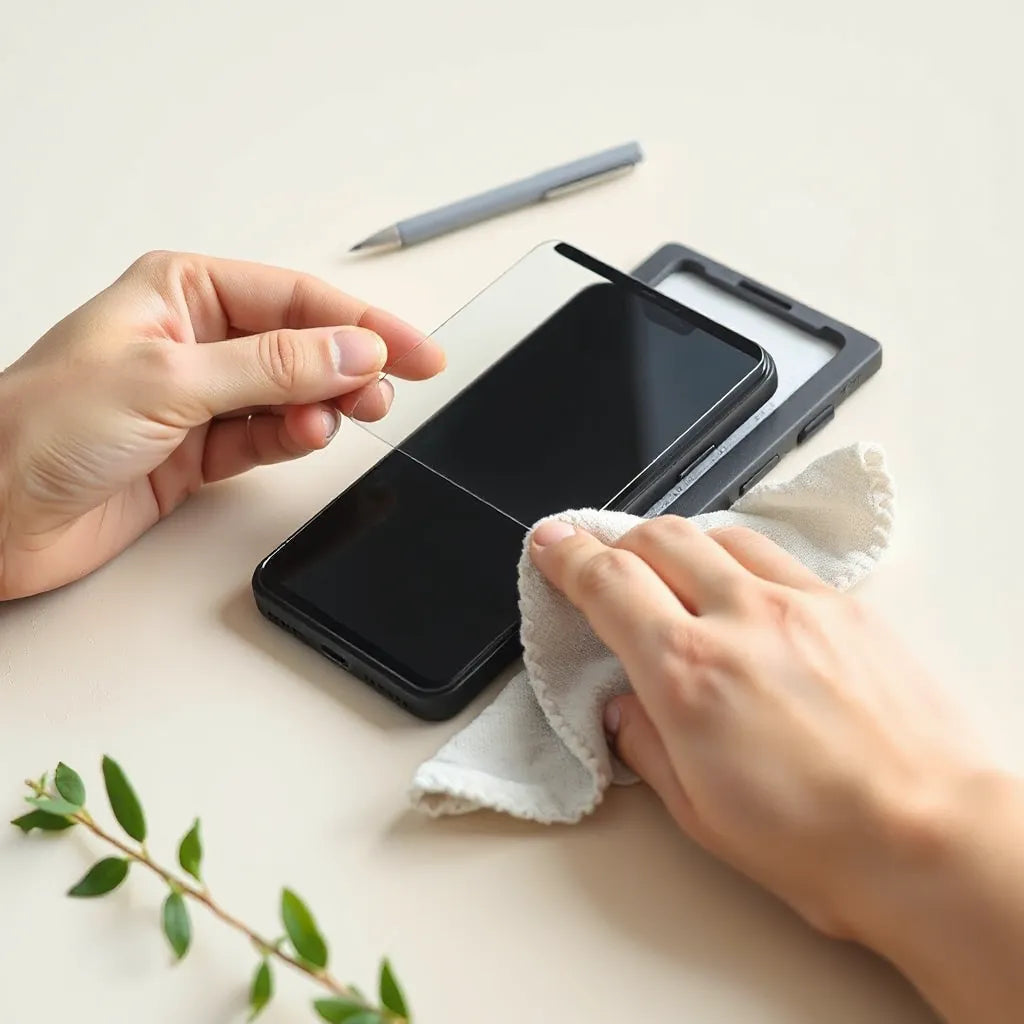
Proper installation determines how a PaperType screen protector performs after the first day. Start with a clean workspace and avoid areas with heavy airflow or dust. Turn off the device and remove any existing protector if present. Dust under a protector can cause visible particles and reduce the smooth feel.
Clean the screen thoroughly using a microfiber cloth and, if your protector kit includes them, follow the provided cleaning steps. Residue from skin oils or cleaning products can reduce adhesion. After cleaning, avoid touching the adhesive side or the protector surface.
Alignment is the next critical step. Carefully line up the protector with the screen edges and any cutouts. Once the protector contacts the screen, repositioning becomes harder. If you are unsure, practice aligning without committing to full adhesion, then secure gradually using the kit method.
Finally, smooth the surface from the center outward. This approach helps push air away toward the edges. If small bubbles appear, do not immediately remove the protector. Many bubbles fade as the adhesive settles, especially when installed under moderate room conditions.
Care and Maintenance
Maintaining a PaperType screen protector is simple, but consistency matters. Use gentle cleaning methods to avoid scratching the surface. A microfiber cloth is usually enough for daily smudges. For deeper cleaning, apply minimal pressure and avoid aggressive scraping.
When cleaning, focus on removing oils and dust rather than rubbing hard. Excessive friction can wear the protective layer over time. If the protector has an anti-glare finish, be attentive: harsh wipes can gradually change the surface appearance.
Also monitor edge lifting. If you notice the protector beginning to peel at an edge, it can trap dust and reduce optical quality. In such cases, follow the removal instructions included with the product and consider a replacement. Reinstalling quickly often prevents further lifting and keeps touch performance stable.
One more factor is how you store and transport the device. Even with a screen protector, friction between the screen and bag materials can cause minor surface wear. A soft pouch or a case with a clean interior can help reduce abrasive contact.

Cleaning workflow: microfiber cloth, dust particles, gentle wipe arrows
Frequently Asked Questions
Is a PaperType screen protector suitable for everyday use? Yes. It is intended for daily protection against light abrasion and smudges. For users who handle devices frequently, it can help maintain readability and comfort.
Will the protector interfere with touch sensitivity? A well-designed protector should preserve touch performance. Touch responsiveness can vary if the protector is not compatible with the specific device model or if installation alignment is off.
How long does a screen protector last? Lifespan depends on usage patterns, cleaning habits, and exposure to abrasive materials. With careful handling and gentle cleaning, many protectors maintain their appearance and function for extended periods.
Can I reuse a screen protector after removing it? Most screen protectors are not designed for repeated installations. If removal is necessary, replacement is usually the best option to maintain adhesion and optical quality.
Does it provide protection against scratches from keys? It can reduce the impact of minor scuffs and light contact. However, metal objects can still cause damage, especially if they scrape across the surface with force.
Final Recommendations
Selecting a PaperType screen protector is most effective when you match it to your device model and your lifestyle. If you work in bright environments, prioritize a finish designed for glare control and consistent readability. If your device travels often, focus on edge coverage and secure adhesion.
For best results, treat installation as a quality step rather than a quick routine. A well-installed protector delivers smoother touch and cleaner visuals. Use gentle cleaning tools and avoid harsh wipes that can degrade the surface finish.
Finally, think in systems. Screen protection performs better when paired with device protection that reduces impact risk. If you are building a complete setup, consider browsing compatible accessory options in relevant collections and choose items that work together without pressure on the protector edges.
To explore more protection solutions, visit anti-glare screen protectors for suitable screen-friendly options.
Q&A Section
What should I check before buying a PaperType screen protector?
Confirm device compatibility, verify cutout and edge fit, and review the surface finish type for your reading and outdoor needs. Compatibility is the most important factor for maintaining touch accuracy and optical clarity.
How can I prevent bubbles during installation?
Clean the screen carefully, align accurately before full adhesion, and smooth from the center outward. If dust is present, bubbles can become trapped under the protector. A controlled environment with low airflow reduces that risk.
How should I clean the protector without damaging it?
Use a microfiber cloth and apply gentle pressure. Avoid abrasive materials and harsh cleaners that can degrade matte or anti-reflective coatings. Clean regularly to prevent oil buildup that can reduce surface uniformity.
When should I replace the screen protector?
Replace it if you notice persistent edge lifting, significant scratches affecting visibility, or a decline in touch performance. Early replacement prevents trapped dust and helps maintain a consistent viewing experience.
Does this type of protector affect how the screen looks?
Some finishes can slightly change contrast and reflections. A suitable PaperType screen protector should keep text readable and colors natural, but the overall look may differ from bare glass depending on your lighting conditions.
Is a screen protector necessary if I already use a case?
Cases reduce impact and corner stress, while screen protectors address surface abrasion and smudges. Together, they provide more complete coverage for everyday risks than either accessory alone.
Can I use the protector with an anti-glare or privacy accessory?
In most cases, combining multiple screen layers can lead to misalignment and altered touch performance. Choose one purpose-built solution so optical quality and adhesion remain consistent.
About the Author
Moarmouz is a brand focused on practical device protection, and our team contributes expertise in screen-friendly materials and everyday accessory fit. This article was prepared with a product-minded approach that emphasizes compatibility, installation quality, and realistic expectations. We aim to help customers make informed decisions that improve daily device use. Thank you for reading.
Share:
iPhone 17 Pro Max Case Guide: Style, Fit, Protection
Matte Finish Pencil Tips: Smooth Writing Every Time